
Struggling to spot trendlines or wasting time drawing them manually? You’re not alone. Many traders face this issue—and that’s where TradingView’s auto trendline indicator combined with trade automation on Tradovate can give you an edge. Whether you’re trading on Tradovate or another platform, this tool can help you find profitable trades faster and with less guesswork.
🔍 What is a Trendline?
A trendline connects consecutive highs or lows on a price chart. It shows the direction of the trend—up, down, or sideways. When price breaks a trendline, it may signal a trend reversal or continuation.
✅ Uptrend: Connects rising lows
✅ Downtrend: Connects falling highs
✅ Breakout: A potential buy or sell opportunity
📈 How to Use the Auto Trendline Indicator on TradingView
Here’s how you can simplify your analysis using TradingView:
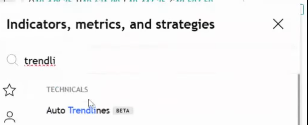
- Open Your Market (e.g., NQ, ES, US30)
- Click on Indicators
- Search for “Auto Trendline”
- Select the Auto Trendline indicator
The tool automatically draws trendlines across key highs and lows, so you no longer have to manually draw them. It’s a major time-saver—and perfect for use with trade automation.
🚀 Spot Trade Opportunities with Trendline Breakouts
A key way to use trendlines is to watch for breakouts:
- Break above a trendline? Possible long trade (buy)
- Break below a trendline? Possible short trade (sell)
This is where trade automation tools shine—automatically triggering trades based on trendline breaks.
⚙️ Combine Auto Trendlines with Trade Automation
Want to automate your trading directly from TradingView charts?
Use services like PickMyTrade to automate trades across supported brokers like:
- Tradovate
- Rithmic
- Interactive Brokers
- TradeLocker
- TradeStation
- ProjectX
🔁 How it works:
- Set alerts on your TradingView chart (e.g., trendline break)
- Your trade automation tool picks up the alert
- Trade is executed on all linked accounts instantly
Whether you trade manually or run multiple prop firm accounts, automation ensures faster entries and fewer errors.
📊 Always Use Multiple Confirmations
While auto trendlines are powerful, no tool should be used alone.
✔️ Confirm signals with other indicators (e.g., RSI, volume)
✔️ Check market news for potential volatility
✔️ Consider the broader market trend
✔️ Test your automation strategy in a demo account first
⚠️ Risk Reminder
Trading involves risk. Always trade with money you can afford to lose. Automation improves execution—but it doesn’t remove market risk.
✅ Final Thoughts
The TradingView auto trendline indicator paired with trade automation on platforms like Tradovate can help streamline your trading and improve decision-making. It saves time, reduces manual effort, and increases consistency—key ingredients for trading success.
Ready to take your trading to the next level? Start using auto trendlines and automate your trades with PickMyTrade today.
Also Checkout: Connect Tradovate with Trading view using PickMyTrade






