

A prop firm scaling plan sets the position size available at a particular account stage or balance tier. The largest contract number advertised for an account may not be the number available today. Before increasing size, identify your program, current tier, effective time, product restrictions, and the limit shown for the actual account receiving the order.
Table of Contents
- Find the table for the right account stage
- Read every column, especially the balance definition
- Check when a higher tier becomes usable
- Calculate room using the firm’s counting method
- Can a withdrawal or losing day reduce your tier?
- Check product restrictions separately
- A larger allowance does not require larger trades
- Make a next-session account card
- Frequently asked questions
- Is the advertised maximum available immediately?
- Can I increase size as soon as I cross a threshold?
- Are all micro contracts counted the same way?
- What should I do if the platform shows a lower limit?
Find the table for the right account stage
Begin with the complete account description: firm, program, size, evaluation or qualified stage, and any plan version shown on the purchase record. Two accounts with the same headline size can have different rules because they belong to different programs or stages.
Alpha Futures publishes separate scaling information for its programs. Its Zero Qualified 50K table starts at one mini or ten micros below $1,500 profit, then shows higher allowances at subsequent profit tiers. That explains why the account’s potential maximum should not be read as its starting allowance. The same page distinguishes other programs, including Advanced. Alpha Futures scaling plan.
Save the exact table you are using, with its URL and the date checked. If a promotional page and the detailed rules appear inconsistent, use support to resolve the difference before increasing size. A marketing card is not enough to determine whether a specific account has reached the next tier.
Read every column, especially the balance definition
A scaling table usually combines a measurement, a threshold, and an allowance. The measurement might refer to account balance or profit under that program’s definition. Do not substitute open profit, a balance from another account, or the total across several accounts.
For each tier, write the rule as a complete sentence: “When this account’s qualifying measurement is [range], and the change has taken effect, its permitted position allowance is [amount].” If you cannot fill in the measurement or effective time, you have not yet finished reading the rule.
| Field to identify | Why it changes the answer |
|---|---|
| Account stage | Evaluation and funded-stage limits can differ |
| Measurement | Balance, profit and open equity are not interchangeable |
| Threshold boundary | Exactly reaching a number may be treated differently from exceeding it |
| Timing | A newly reached tier may apply only after a session update |
| Contract unit | Minis, micros and combined exposure may have separate treatment |
| Product restrictions | A specific instrument may have a lower temporary allowance |
If the table leaves a boundary unclear, ask a precise question about the amount at that boundary. Do not resolve uncertainty by placing a larger order and observing whether it is accepted.
Check when a higher tier becomes usable
Topstep says its Express Funded Account scaling changes take effect for the next trading session, rather than immediately when a trader reaches a balance level during the current session. Its current guidance also distinguishes this plan from the Live Funded Account framework. Topstep scaling plan.
This creates two separate records: the tier you believe you have earned and the allowance currently in effect. Keep both until the account update is visible. A good session-end routine is to save the closing account value, check the resulting tier after processing, and record the next session’s permitted quantity.
Suppose a hypothetical plan permits two contracts below $2,000 of qualifying profit and four above that threshold, with changes effective next session. A trader reaches $2,100 at 11:00 a.m. That number alone does not authorize four contracts at 11:01 a.m. Under the hypothetical timing rule, the currently effective allowance remains the relevant one.
The example is about timing, not a recommendation to trade two or four contracts. The real plan may use different thresholds and measurement rules.
Calculate room using the firm’s counting method
Once the effective limit is known, identify how the firm counts existing exposure. Check whether limits apply across instruments, how micros are converted, and how working orders are treated. Do not assume every firm uses a universal ten-to-one micro conversion or the same aggregation rule.
A useful hypothetical check, where the firm explicitly counts total concurrent contracts, is:
Remaining allowance = effective account limit − counted existing exposure.
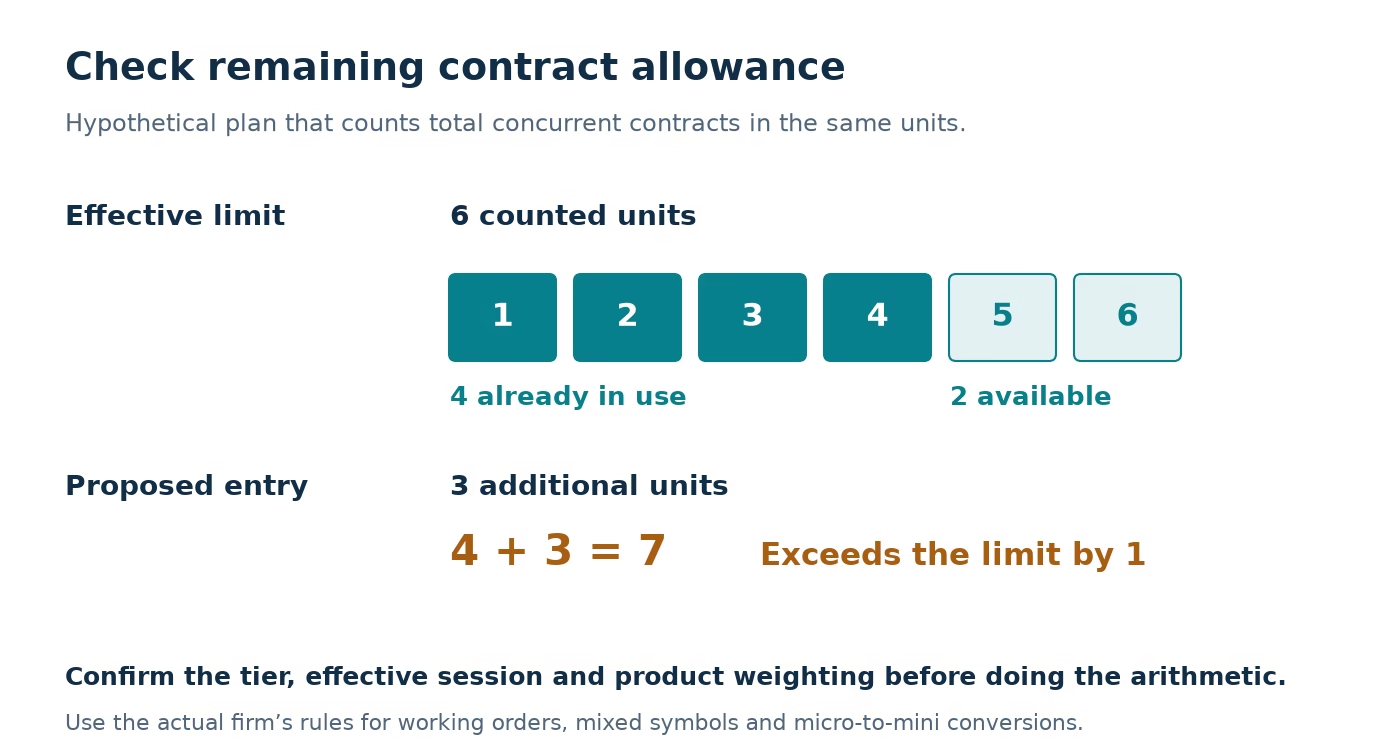
If the effective limit is six counted units and current exposure uses four, the remaining allowance is two. A proposed order of three would exceed that model’s allowance. If resting entries can fill before the new order, include those potential fills in your operational review according to the firm’s rules.
| Hypothetical item | Counted units |
|---|---|
| Effective allowance | 6 |
| Existing exposure | 4 |
| Remaining allowance | 2 |
| Proposed additional entry | 3 |
| Result under this counting model | Exceeds allowance by 1 |
The arithmetic is easy; choosing the correct counting model is the work. When using several symbols, document the treatment of each before adding them together. A platform accepting an order does not establish that the trade complied with every rule in an agreement.
Can a withdrawal or losing day reduce your tier?
Read how your plan handles a lower qualifying balance. Do not carry yesterday’s maximum into the next session solely because you previously unlocked it. After a withdrawal or loss, check the processed tier, current contract allowance and saved order quantities again. If the policy does not explain the timing, obtain clarification for your account.
Also recalculate the drawdown buffer after a payout. Contract permission and the remaining loss buffer answer different sizing questions. Both affect the next order you can reasonably plan.
Check product restrictions separately
A scaling tier is not the only possible limit. Topstep’s high-volatility guidance describes temporary product-specific reductions, including micro limits and restrictions on mini-sized contracts. Its published table varies by account category and product. Topstep high-risk and high-volatility adjustments.
For your own account, compare the normal scaling allowance with any applicable current product restriction. If the rules give different limits, resolve how they interact before trading. Do not copy an unrestricted product’s allowance onto another instrument simply because both appear in the same platform.
Record the source and check time for temporary restrictions. A saved rule from last month may explain an old trade but cannot establish today’s permission. This is one reason a reusable account checklist is more useful than memorizing a single maximum-contract number.
A larger allowance does not require larger trades
Treat the permitted maximum as a ceiling, not a position-sizing target. Your own risk plan can use a smaller quantity. A tier change does not improve a strategy’s expectancy, reduce slippage, or make a particular stop distance appropriate.
For an educational hypothetical example, assume a contract has a $5 tick value and a planned stop is twelve ticks away. The price-distance risk is $60 per contract before commissions, slippage, or execution differences. Three contracts imply $180 on that simplified model. Permission to trade six would not make the six-contract calculation disappear; it would double the three-contract exposure.
Use the correct contract specification and your own trading constraints for any real calculation. This article explains permission and measurement; it does not recommend a position size.
If you have just passed, confirm the new account activation steps before applying its funded-stage scaling rules.
Make a next-session account card
Before the next session, record the account ID, program, qualifying balance or profit, effective tier, product exceptions, and the quantity configured in each order-entry workflow. Review defaults in saved templates as well as the visible manual order ticket.
If several accounts receive copied orders, calculate the permission separately for each account. An account with a higher tier does not raise the allowance of another account. Likewise, a shared chart does not imply shared balances or identical limits.
When the dashboard and your calculation disagree, save both and ask support to identify the applicable tier. Include the account stage, measurement, timestamp and specific instrument. Avoid asking only “Why can I trade less?” when the useful question is whether the account has processed a tier change or is subject to a separate restriction.
Frequently asked questions
Is the advertised maximum available immediately?
Not necessarily. Check the starting tier and the current account-stage table. A maximum describes an upper allowance, not proof that your account has qualified for it.
Can I increase size as soon as I cross a threshold?
Only if the actual plan allows an immediate change. Verify its effective-time rule and the account’s processed state.
Are all micro contracts counted the same way?
Do not assume so. Read the firm’s conversion and aggregation rules for the instruments you use, including temporary product restrictions.
What should I do if the platform shows a lower limit?
Check the account stage, current tier, update timing and product rules. Resolve the discrepancy before increasing quantity; repeatedly submitting larger orders is not a reliable way to determine permission.