
This walkthrough uses TradingView’s Strategy Tester to compare a trailing take-profit strategy on crude oil, E-mini Nasdaq-100 (NQ), wheat and soybean futures. It also shows where to set up a PickMyTrade alert.
Table of Contents
- Understanding Trailing Take Profit Strategies
- Applying the Strategy to Crude Oil Trading
- Exploring Different Time Frames
- Creating Alerts for Automation
- Performance Analysis of Other Instruments
- Results with Wheat and Soybean Trading
- Conclusion
- Frequently Asked Questions (FAQ)
Understanding Trailing Take Profit Strategies
The recording uses Daveatt’s open-source BEST Trailing Take Profit Strategy. It adjusts an exit level when price moves favourably.
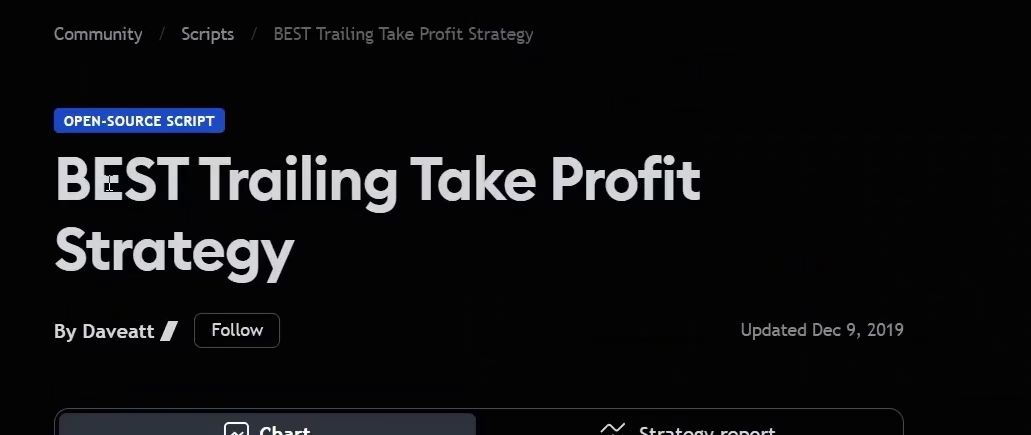
What sets this strategy apart is its open-source nature, allowing traders to apply it directly on their charts. By using this method, traders can take advantage of market movements without constantly monitoring their positions. The trailing take profit strategy is particularly useful for those looking to automate their trading processes.
Applying the Strategy to Crude Oil Trading
The first example uses a one-hour MCX crude oil futures chart. The tutorial opens the strategy inputs and reviews the take-profit trigger.
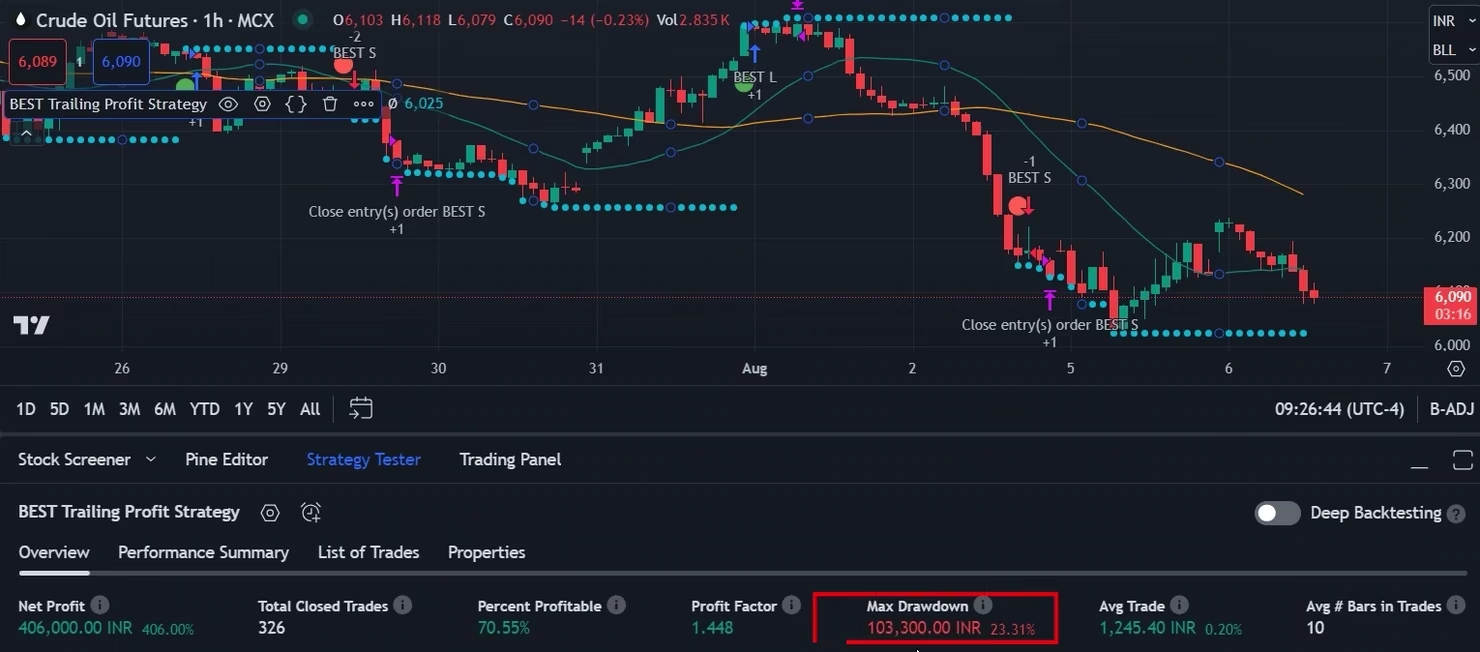
In the recorded one-hour MCX crude oil backtest, TradingView shows 326 closed trades, 70.55% profitable trades, INR 406,000 in simulated net profit and a profit factor of 1.448. Profit factor is gross profit divided by gross loss.
Exploring Different Time Frames
Switching to 30-minute bars changes the historical run. Compare both reports using the same instrument and strategy settings, and check the timeframe shown above the chart.
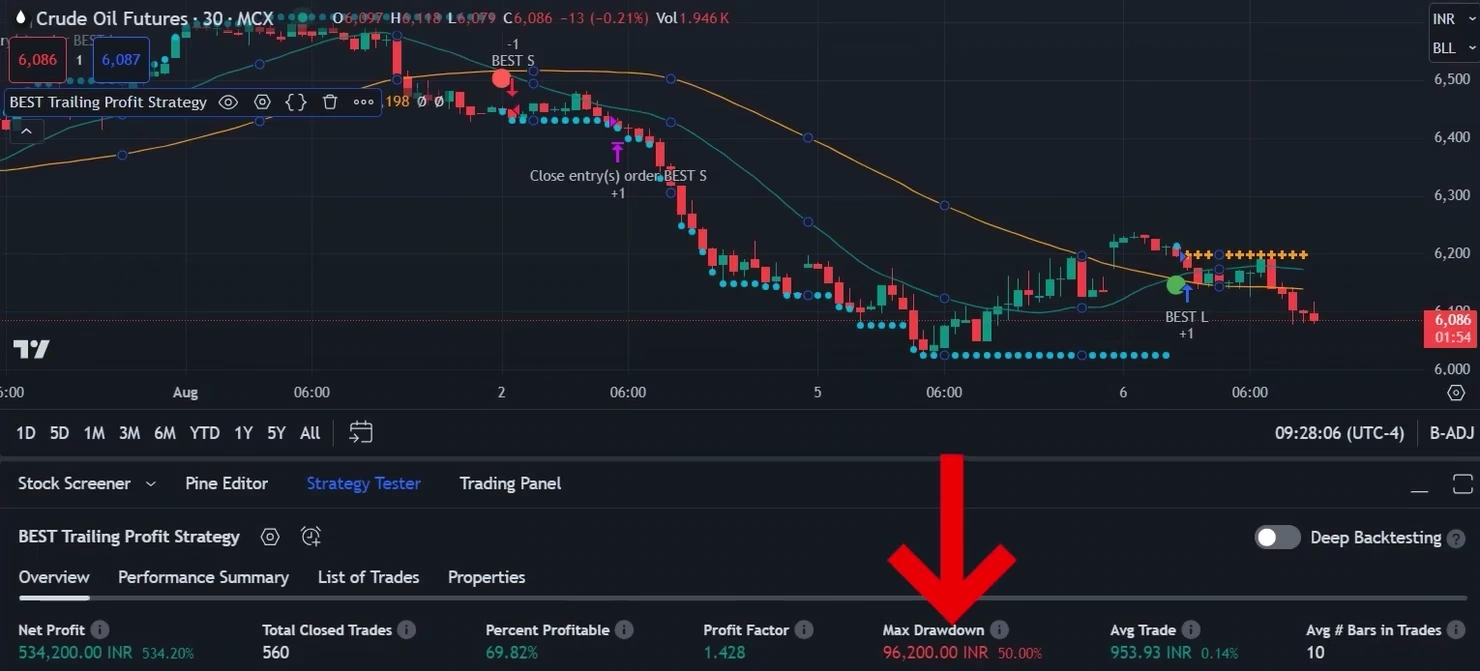
Changing the timeframe also changes the simulated entries and exits. Record the settings and test period alongside each result.
Creating Alerts for Automation
To fully automate the trading process, traders need to create alerts within the PickMyTrade platform. This simple step involves selecting the desired strategy and setting up alerts based on specific criteria. For example, to set up an alert for crude oil trading, traders can copy a predefined alert format and insert their unique token.
Once the alert is activated, trades will be automatically executed based on the defined parameters. This automation reduces the need for constant monitoring, allowing traders to focus on other aspects of their trading strategies.
Performance Analysis of Other Instruments
The recording next opens an E-mini Nasdaq-100 (NQ) futures chart and compares its Strategy Tester report with the crude oil example.
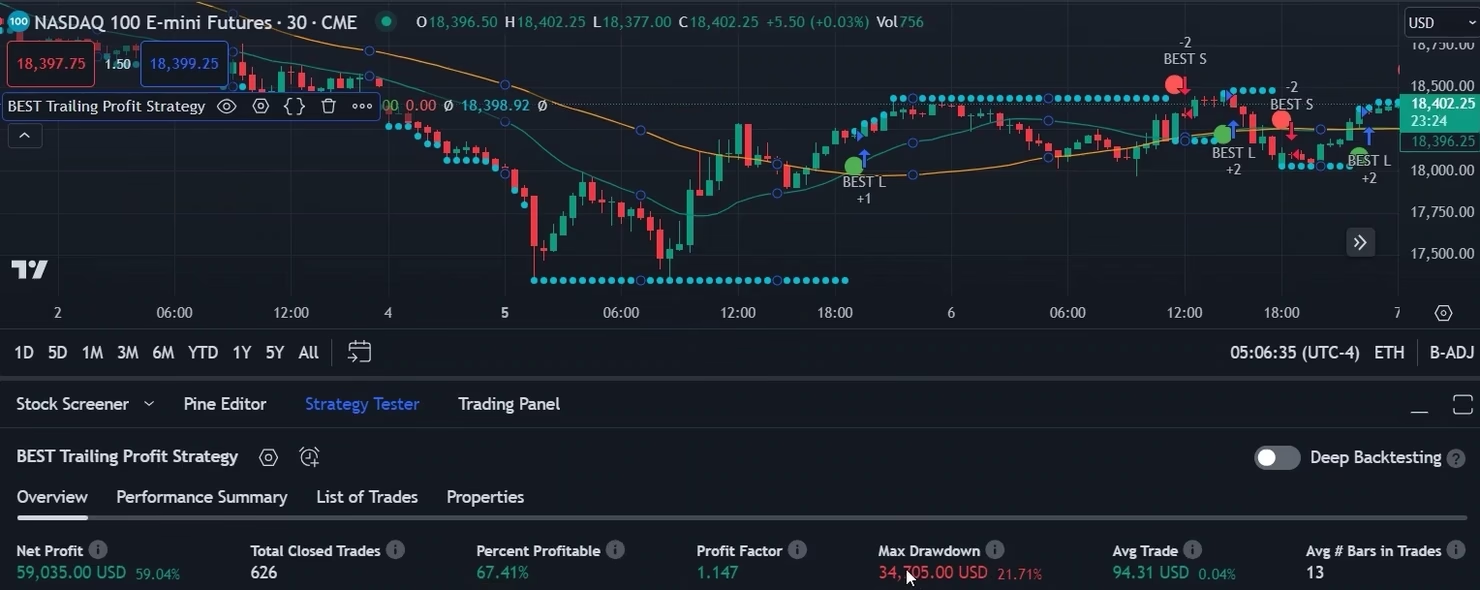
The tutorial then changes the NQ chart interval and reviews the resulting net profit, profit factor and drawdown.
Results with Wheat and Soybean Trading
The recording repeats the historical test on wheat and soybean futures. The results depend on the contract, quote currency, timeframe and test settings.
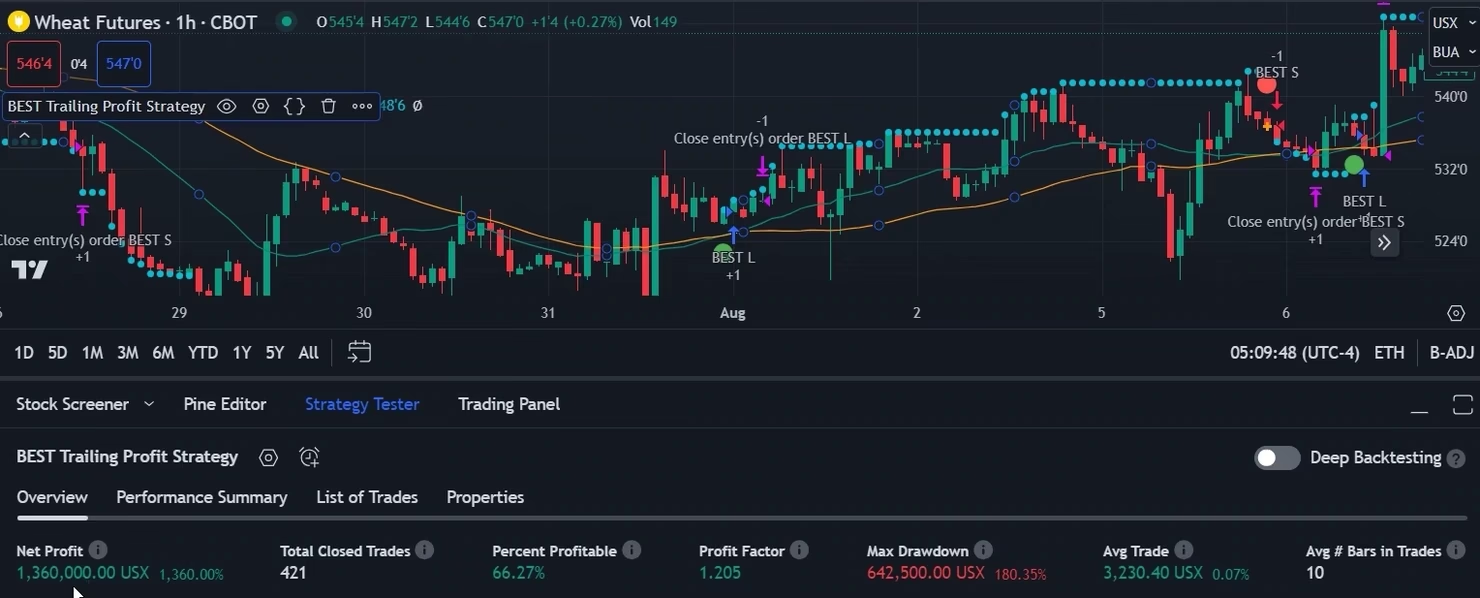
For the soybean example, the presenter checks the Strategy Tester report after changing the symbol. Read the metrics in the currency shown for that contract.
Conclusion
To reproduce the comparison, record the symbol, interval and strategy inputs, then review historical trades in Strategy Tester. Test the alert separately before relying on it for execution.
Frequently Asked Questions (FAQ)
What is PickMyTrade?
PickMyTrade is a platform that allows traders to automate their trading strategies seamlessly, connecting different trading tools for enhanced performance.
How does the trailing take profit strategy work?
The strategy adjusts its exit threshold when price moves favourably. An exit signal can still result in a loss.
Can I use PickMyTrade for different instruments?
Yes, PickMyTrade is versatile and can be applied to various instruments, including crude oil, wheat, soybean, and many others.
Is there a risk involved in using automated trading strategies?
As with any trading strategy, there are inherent risks. It’s essential to backtest strategies and consult with financial advisors before investing.
How can I learn more about trading strategies?
For more insights, you can check out additional resources on YouTube, such as this video that explains various trading strategies.
For those interested in further exploration of trading, consider visiting HFT Solution for more educational content.
PickMyTrade specializes in automating trading bots, enabling seamless strategy execution for futures from platforms like TradingView, across well-known brokers such as Tradovate.
For a broader look at the tooling, see the PickMyTrade automated trading software page.