
Rules checked on 30 September 2026. Covers Lucid evaluations, simulated funded accounts, and the separate live-account guidance.
Table of Contents
- What traders are actually asking
- Lucid hedging rules at a glance
- Do these permissions carry over to live accounts?
- Different symbols: what information is missing?
- Is selling a long position the same as hedging?
- Can a copy-trading reversal leave accounts on opposite sides?
- Other mismatches worth testing
- What happens after a Lucid hedging violation?
- How to investigate the reported hedge window
- A support message you can adapt
- Lucid copy trading rules and automation: what is permitted?
- Where PickMyTrade fits
- Account review checklist before your next session
- Frequently asked questions
- Does using two different strategies make the trades acceptable?
- Can changing the broker or copier solve a hedging flag?
- Does this mean futures hedging is illegal?
- What percentage of Lucid traders fail because of hedging?
- What should I check before placing the second trade?
You intended to copy the same trade across your accounts. Or you closed a long position and entered short. Then an email arrived mentioning a hedging violation.
Before blaming your strategy, copier, or the firm, reconstruct what actually happened: which account held which contract, in which direction, and at what time? A button click describes your instruction. Execution records show the resulting positions.
That distinction is at the center of the questions traders ask about Lucid hedging rules. A notification alone does not tell us whether an execution mismatch, a misunderstood restriction, or a disputed detection caused a particular flag.
This guide separates published policy from illustrative scenarios, then shows how to review your setup and request an account-specific explanation.
For context, a long position benefits when prices rise, while a short position benefits when they fall. Hedging seeks to offset exposure. A micro futures contract is a smaller version of its corresponding larger contract. Two different symbols alone do not tell you how much risk a combination offsets.
What traders are actually asking
In a September Reddit thread, a trader preparing to copy two accounts asked whether the built-in Tradovate copier could lead to hedging violations. Another asked whether long NQ and short YM counted as hedging and whether a prohibited-symbol list existed. Copier question, correlated-market question
A third poster described a reported self-hedge flag on one account and asked whether reversing a position, partial fills, or bracket orders could explain it. Single-account question
These posts establish the questions people need answered. They do not independently establish platform faults, wrongful enforcement, or violation frequency. Reddit replies conflict, so use official documentation for the policy answer.
Lucid hedging rules at a glance
This table summarizes Lucid’s general hedging FAQ. Live accounts require the separate check below.
| Opposing positions | Arrangement | General FAQ |
|---|---|---|
| Identical contract | Same or separate accounts | Prohibited |
| Corresponding mini and micro | One account | Permitted |
| Corresponding mini and micro | Separate accounts | Prohibited |
| Different contracts | One account | Permitted |
| Correlated contracts, such as ES/NQ | Separate accounts | Prohibited |
| Hedging involving other users or firms | Across accounts | Prohibited |
Lucid names equities, metals, and energies as correlation groupings. Official hedging policy
Do these permissions carry over to live accounts?
Do not assume they do. Lucid’s live guidance prohibits hedging and states that violations result in a permanent ban. It does not reconcile that wording with the general FAQ’s same-account permissions. Obtain written clarification before applying those permissions at live status. Lucid live-account guidance
“Funded” does not automatically mean live. LucidFlex describes its funded account as simulated, with a possible later transition to live markets. Check your actual stage rather than relying on the account name. LucidFlex funded account
Different symbols: what information is missing?
“Can I buy Nasdaq and sell the S&P?” leaves out the account arrangement. “Can I buy gold and sell Nasdaq?” also needs an answer specific to the proposed configuration.
Write the full scenario before looking for permission:
Contract and expiry → direction → quantity → account → program stage.
For example, MES and MNQ identify the micro versions of S&P 500 and Nasdaq-100 futures. Their different codes do not answer every question about how you intend to trade them. CME’s micro equity-index product guide
Match the complete arrangement to the table. For gold/Nasdaq combinations across accounts, expiry spreads, or other cases not explicitly resolved, send the details to Lucid. We did not find an exhaustive pair-by-pair approval list in the reviewed guidance.
A chart’s correlation reading is not firm-issued approval. Correlation describes how markets have moved together over a chosen period; your account agreement answers a different question.
Is selling a long position the same as hedging?
Not necessarily. Distinguish an order’s direction from the position left after it fills.
Consider a hypothetical account that maintains one net position per contract. It starts with two long contracts:
| Filled action | Position afterward |
|---|---|
| Sell one of the same contract | Long one |
| Sell two of the same contract | Flat |
| Sell four of the same contract | Short two |
The arithmetic assumes the same contract and expiry, complete fills, and no other orders. It illustrates reducing, closing, and reversing a position. It is not a description of how every platform button or copier works.
For a reversal, inspect both closing and opening executions. An order labelled “sell” cannot, on its own, show what another account held at that moment.
Can a copy-trading reversal leave accounts on opposite sides?
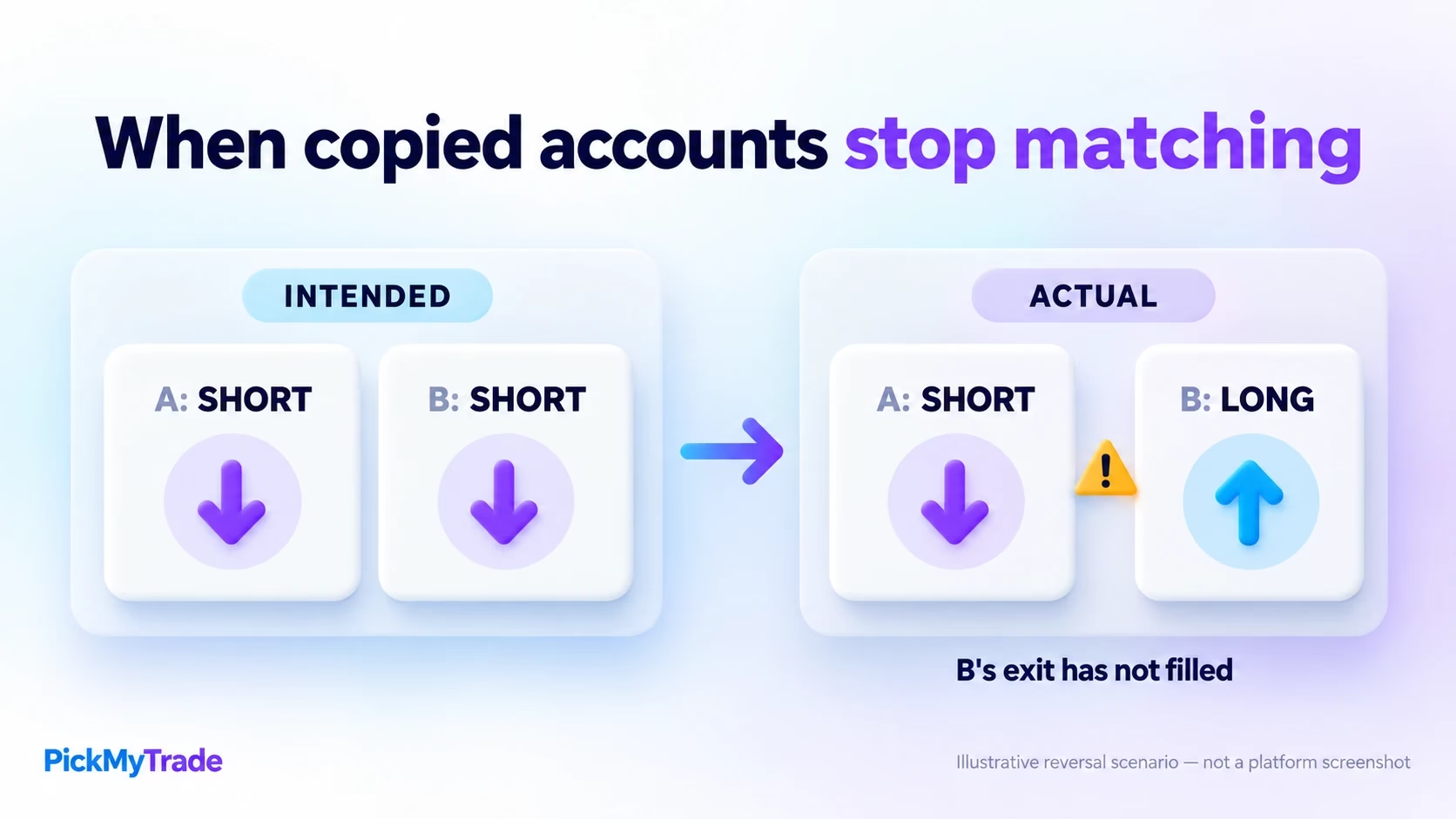
Yes, accounts can reach different states if the intended executions do not complete together. Here is a hypothetical example, not a tested PickMyTrade failure.
You intend to reverse two accounts from long to short in the same futures contract:
| Step | Account A | Account B |
|---|---|---|
| Before reversal | Long | Long |
| A completes its exit | Flat | Long |
| A receives the short entry | Short | Still long; its exit has not filled |
The intended matching trade now differs from the actual positions. Compare the last row with the policy table rather than assuming the original intention determines the result.
Lucid’s Rithmic copier guide identifies execution delays, failed trades, duplicated or omitted trades, and connection problems. It assigns monitoring responsibility to traders and excludes refunds, credits, or adjustments for copier-related problems. Lucid’s copier guide
A practical workflow to evaluate in demo is close → confirm every intended account is flat → permit the next entry. This is a suggested control, not a guarantee or a claim that every copier coordinates accounts this way.
An alert marked “sent” does not confirm a fill. Waiting a fixed number of seconds does not prove the previous action finished either. Review the destination positions.
Other mismatches worth testing
These are troubleshooting scenarios, not measured causes of Lucid violations:
- A manual order changes an account that an automated strategy assumes is flat.
- One account is omitted from an exit while the others change direction.
- An old pending entry fills after the trader believes the session is finished.
- Two independent strategies send conflicting instructions to connected accounts.
- A direction-inversion setting affects one destination unexpectedly.
Review working orders alongside open positions. A flat account with an outstanding entry order can become exposed again without a new button click.
What happens after a Lucid hedging violation?
The general FAQ describes email notice and resets to prior-day balances. Repeated offenses breach involved accounts and may lead to permanent restrictions. Published consequences
We found no published grace period or automatic accident exemption in that FAQ. The separate live-account warning above is stricter.
If you have been flagged, avoid immediately rerunning the same setup. Establish the current account state and investigate the reported window. A disputed flag needs records, not guesses about what the software probably did.
How to investigate the reported hedge window
- Prevent additional unintended entries. Keep track of existing exposure and protective orders; disabling an entry strategy is not the same as closing positions.
- Save the notification. Record account identifiers, products, date, time window, and stated timezone.
- Export execution and order histories. Include every relevant account, full contract symbols, quantities, order IDs, and timestamps.
- Rebuild the position sequence. Start before the reported window. Add each fill in order, including partial fills, and note when each account was long, short, or flat.
- Compare software records. Check whether alerts, copier events, acknowledgements, and fills describe the same sequence. Keep original exports alongside screenshots.
- Request the specific explanation. Ask which executions and policy provision caused the flag and what review process is available.
Do not label a missing record as proof that no trade occurred. Check the selected account, contract, export period, and timezone. Redact passwords and API tokens before sharing records.
A support message you can adapt
My [plan and stage] account received a hedging notice for [date and time window, including timezone]. I used [platform/copier] across [account identifiers]. Attached are the order and execution records, with contract expiries and quantities. My reconstruction is: [brief sequence]. Please identify the executions and rule used for this flag, and explain what review is available. I have paused the affected entry workflow while investigating.
This requests evidence without assuming the detection was correct or the decision will be reversed.
Lucid copy trading rules and automation: what is permitted?
Lucid’s current trading-activities page permits automated systems and trade copiers, subject to its rules. It holds traders responsible for software errors and unintended outcomes. Permission to use a tool does not settle whether a particular configuration complies. Lucid trading activities
LucidDirect users should resolve a document conflict. A still-public agreement dated 19 May 2025 requires prior written automation approval and excludes third-party-developed automation. Public documents do not establish which agreement you signed or whether it was superseded. Compare your agreement with current guidance and ask Lucid to clarify any conflict. LucidDirect agreement, section 1(c), page 2
Where PickMyTrade fits
PickMyTrade documents routing TradingView strategy alerts to Tradovate and recommends demo testing. It provides an execution workflow, not certification that your setup satisfies Lucid’s rules. PickMyTrade setup guide
During configuration, PickMyTrade documents a few toggles that decide what happens when a new alert arrives while a position is already open:
- Reverse Order Close: when set to
true, an opposite-direction alert closes the existing position at its current quantity as one order and then places the new alert at its full stated quantity as a second order. If you are short 40 contracts and a buy 50 alert arrives, the platform closes the 40 short and then buys 50, leaving a 50-contract long. When set tofalse, the new alert is netted against the existing exposure, so the same sequence leaves a net 10-contract long. - Pyramid: when set to
true, a same-direction alert opens a new position on top of the existing one, so two buy alerts become two stacked buy positions. When set tofalse, the same-direction alert does not add a second position. same_direction_ignore: when set totrue, a repeated same-direction alert is discarded while a position in that direction is already open. It prevents duplicate entries on the same side; it is not a cross-account hedging detector.
The advanced-feature page currently labels its features as beta and recommends demo testing. PickMyTrade advanced controls
If you plan to automate, begin with the setup guide and a Tradovate demo account. Verify entries, exits, position sizes, and reversals before connecting an eligible account. Resolve the applicable firm restrictions first.
Account review checklist before your next session
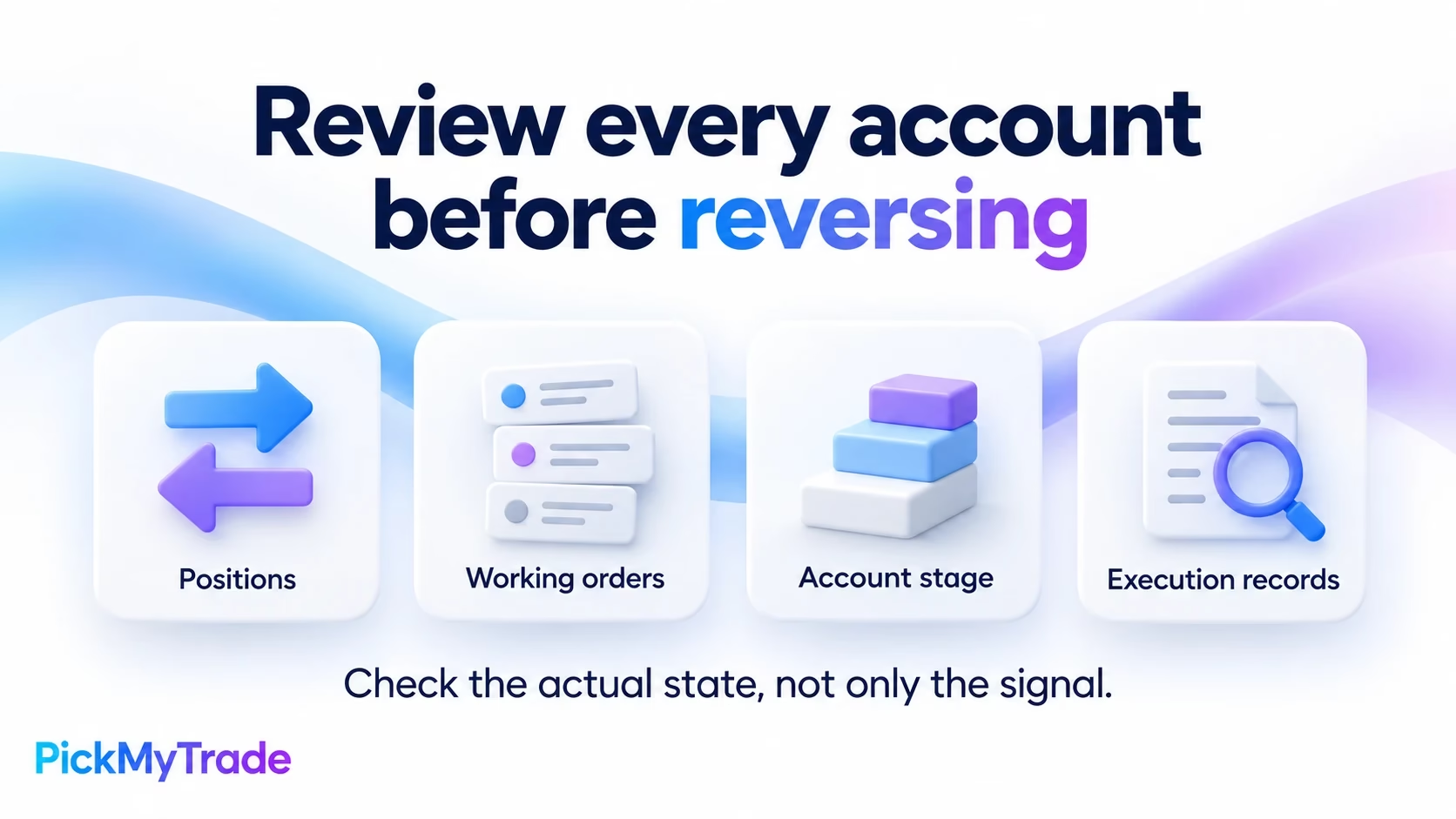
Use this operational checklist alongside your account documentation:
- Confirm each account’s plan and stage: evaluation, simulated funded, or live.
- List every strategy, copier, and manual terminal able to place orders.
- Check symbol mappings, expiries, quantities, and direction settings.
- Review open positions and working orders across all destinations.
- In demo, test entry, exit, reversal, repeated signals, and reconnect behavior.
- Use a sandbox or simulated failure to test a missing response. Decide what blocks new entries when accounts disagree.
- Obtain clarification for any unresolved arrangement before enabling it.
A successful demo verifies behavior under the conditions tested. It does not prove future reliability, profitability, or Lucid’s approval.
Frequently asked questions
Does using two different strategies make the trades acceptable?
Strategy names do not establish compliance. Review their combined positions, destinations, and working orders. Two systems can disagree even when each follows its own entry rules correctly.
Can changing the broker or copier solve a hedging flag?
A software change alone does not identify the cause. Reconstruct the incident first. Otherwise, the same account arrangement or coordination problem may remain in the new setup.
Does this mean futures hedging is illegal?
No. CME describes legitimate risk-management uses of futures hedging. Prop-firm participation conditions are a separate question; exchange rules also address matters such as wash trading. Avoid treating a firm’s restriction as a blanket statement about all futures activity. CME hedging education, CME wash-trading explanation
What percentage of Lucid traders fail because of hedging?
We could not verify a published Lucid statistic measuring that cause. Reddit and Discord questions reveal confusion, but cannot establish a failure rate or prove why an individual account was flagged.
What should I check before placing the second trade?
Its destination account, exact contract and expiry, quantity, current positions, pending orders, and program stage. If the answer remains unclear, send Lucid that complete scenario before trading it.






