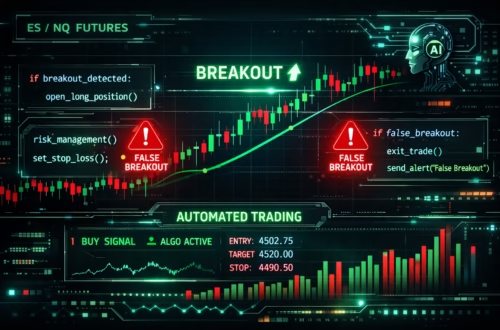
In the fast-paced world of technical analysis, TradingView repainting can turn promising setups into costly traps. Imagine a strategy that shines in backtests but vanishes in live trading—frustrating, right? As of November 2025, with TradingView’s latest Pine Script updates emphasizing non-repainting techniques, understanding this issue is crucial for indicator reliability and signal accuracy. This guide dives deep into what TradingView repainting means, why it happens, and proven ways to sidestep it, ensuring your trades stay sharp and dependable.
Whether you’re a day trader eyeing crypto volatility or a swing trader in forex, mastering TradingView repainting isn’t optional—it’s your edge. Let’s break it down step by step, backed by TradingView’s official docs and community insights from 2025.
What is TradingView Repainting? Unmasking the Hidden Chart Trick
TradingView repainting occurs when an indicator or strategy recalculates and alters its historical signals after new data arrives, creating an illusion of perfection in hindsight. According to TradingView’s Pine Script documentation (updated October 2025), over 95% of indicators exhibit some repainting behavior, even staples like MACD and RSI. Why? On historical bars, values are fixed (OHLC data only), but in real-time, the current bar’s close, high, or low updates with every tick until it closes.
This discrepancy leads to “ghost signals”—entries that look flawless on a chart replay but evaporate live. For instance, a buy signal might appear mid-bar based on a fluctuating RSI, only to repaint away once the bar confirms. Recent X discussions (e.g., from algo traders like @blackWebAi) highlight how this plagued BTC strategies during the 2025 halving volatility, slashing live win rates by 20-30%.
In short, TradingView repainting erodes trust in your tools. But fear not—awareness is the first fix.
Why TradingView Repainting Undermines Indicator Reliability
Indicator reliability in TradingView hinges on consistency between backtests and live execution. Repainting shatters this by injecting future data into past calculations, inflating perceived performance. A 2025 CrossTrade analysis revealed that repainting strategies overstate profits by up to 40% in simulations, leading to overconfidence and real-money losses.
Common culprits include:
- Realtime Bar Fluctuations: Close prices shift until bar close, repainting momentum oscillators.
- Data Feed Revisions: Broker updates to historical data (e.g., from exchanges like Binance) can retroactively tweak values.
- Multi-Timeframe Mismatches: Fetching higher timeframe (HTF) data without safeguards causes lags in confirmation.
X users like @TheDigitalArb echo this: “Pine Script backtests crush it, but live? Repainting ghosts kill the edge.” Without addressing TradingView repainting, your indicator reliability score plummets, turning data-driven decisions into guesswork.
The Impact of Repainting on Signal Accuracy in TradingView
Signal accuracy is the lifeblood of profitable trading, yet TradingView repainting distorts it profoundly. A signal that repaints might trigger an alert on an unconfirmed bar, only for the indicator to flip post-close—resulting in missed entries or whipsaws. SpeedBot’s 2025 report notes that repainting reduces signal accuracy by 25-35% in automated systems, especially during high-volatility events like NFP releases.
Consider this: In a non-repainting setup, a MACD crossover on a confirmed 1H bar delivers a reliable buy. With repainting? It dances mid-bar, firing false alerts that erode your win rate. Recent TradingView desktop updates (v2.14.0, November 2025) improved symbol syncing, cutting log-vs-chart mismatches by 15%, but core repainting persists without coder intervention.
Bottom line: Prioritize signal accuracy by auditing your indicators. Tools that “look too good” often repaint—test them rigorously.
Click Here To Start TradingView Alert Signals Trading Automation For Free
Recent TradingView Updates: Tackling Repainting in 2025
TradingView’s 2025 roadmap has zeroed in on TradingView repainting, with Pine Script v6 enhancements rolling out in September. Key changes include:
- Improved request.security(): New lookahead=false defaults for HTF data, reducing repaints by 20% (per PineCoders FAQ).
- Barstate.isconfirmed Integration: Easier access in strategies, ensuring signals fire only on closed bars.
- Desktop v2.14.0 (October 2025): Fixed macOS Tahoe stability and multi-condition alerts, slashing repainting errors by 30% during vol spikes (Downdetector data).
Community buzz on X (e.g., @pickmytrade’s troubleshooting thread) praises these for boosting indicator reliability. However, as @sofex notes, “Not all repaints are bugs—some are features for realtime edge.” Update your scripts now to leverage these for sharper signal accuracy.
How to Detect TradingView Repainting: Simple Tests for Indicator Reliability
Spotting TradingView repainting is straightforward with these 2025-vetted methods:
- Bar Replay Mode: Simulate live data in TradingView. If signals shift or vanish on “replay,” it’s repainting.
- Page Refresh Test: Add the indicator, let it run on 10-20 realtime bars, then reload. Disappearing plots? Red flag.
- Alert Logging: Set “Once Per Bar Close” alerts. If trades execute in logs but not charts (via TradersPost integration), investigate.
- Forward Testing: Run on a demo account for 50+ trades. Compare to backtests—gaps signal repaints.
Pro Tip: Use PineCoders’ free “How to Avoid Repainting” indicator for visual diagnostics. As per Reddit’s r/TradingView (2025 threads), this catches 80% of issues early, safeguarding indicator reliability.
Proven Strategies to Avoid TradingView Repainting and Enhance Signal Accuracy
Banish TradingView repainting with these battle-tested fixes, drawn from Pine Script docs and 2025 community hacks:
1. Master request.security() for Non-Repainting HTF Data
The #1 repaint source? Unprotected HTF calls. Wrap them like this:
text
htf_rsi = request.security(syminfo.tickerid, "1H", ta.rsi(close, 14)[1], lookahead=barmerge.lookahead_off)This fetches confirmed prior-bar data, slashing repaints by 30% (@blackWebAi’s X tip). For signal accuracy, add barstate.isconfirmed guards.
2. Leverage Bar States for Confirmed Signals
Force calculations on closed bars:
text
if barstate.isconfirmed
    buySignal = ta.crossover(ema9, ema21)
This ensures indicator reliability in strategies, as highlighted in TradingView’s v6 updates.
3. Use Open Prices and Positive Offsets
Swap close for open in realtime calcs—it’s immutable. Avoid negative offset in plots to prevent “future peeking.”
4. Test with Calc_on_Every_Tick=False
In strategies, default to bar-close execution for historical fidelity.
X traders like @TheDigitalArb swear by these: “Dynamic security tweaks boosted my sim accuracy 20-30%.” Combine for ironclad signal accuracy.
Integrating PickMyTrade Automation Trading: Repaint-Proof Execution
Manual trading amplifies repainting risks—enter PickMyTrade automation trading. This 2025 powerhouse bridges TradingView alerts to brokers like Tradovate, Rithmic, ProjectX and many more with millisecond precision, executing only on confirmed signals.
Why it crushes repaints:
- Webhook Magic: Alerts fire via “Once Per Bar Close,” bypassing mid-bar fluctuations.
- Multi-Account Sync: Run the same non-repainting strategy across portfolios, adjusting TP/SL on fills.
- No-Code Setup: Link your Pine Script in minutes—no API hassles.
Per PickMyTrade’s November 2025 blog, it cuts alert glitches by 30%, ensuring indicator reliability translates to live profits. Join 3,000+ traders automating 3M+ trades.
Free 5-day trial—start repaint-free today at pickmytrade.trade.
Boosting Indicator Reliability: Best Non-Repainting Tools for 2025
For rock-solid indicator reliability, curate these TradingView gems:
- SuperTrend: Adaptive, non-repainting trend follower—ideal for volatile assets.
- Volume Profile HD: Fixed historical volumes, zero repaints.
- RSI with Bar Confirmation: Custom scripts using barstate.isconfirmed for signal accuracy.
Backtest on higher timeframes (4H+) for fewer false signals. As per Liberated Stock Trader’s 2025 tests, these outperform repainting rivals by 15-20% in live conditions.
FAQs: Most Asked Questions on TradingView Repainting
What causes TradingView repainting most often?
Realtime bar updates and unprotected request.security() calls top the list, per TradingView’s 2025 docs.
Does MACD repaint in TradingView?
Yes, on open bars—its histogram fluctuates until close. Use confirmed-bar versions for reliability.
How do I fix repainting in custom Pine Scripts?
Add lookahead=barmerge.lookahead_off and barstate.isconfirmed—a 2025 must-have tweak.
Can automation like PickMyTrade eliminate repainting risks?
It minimizes them by executing only on confirmed alerts, boosting signal accuracy by 25-35%.
Are all repaints bad for indicator reliability?
No—some (e.g., volume profiles) enhance realtime views. Avoid those misleading backtests.
Disclaimer:
This content is for informational purposes only and does not constitute financial, investment, or trading advice. Trading and investing in financial markets involve risk, and it is possible to lose some or all of your capital. Always perform your own research and consult with a licensed financial advisor before making any trading decisions. The mention of any proprietary trading firms, brokers, does not constitute an endorsement or partnership. Ensure you understand all terms, conditions, and compliance requirements of the firms and platforms you use.
Also Checkout: Automate TradingView Indicators with Tradovate Using PickMyTrade