In the fast-paced world of currency trading, staying ahead means embracing automation trading. The OANDA API stands out as a powerhouse for traders seeking to streamline their strategies without constant manual intervention. Whether you’re a beginner dipping into forex automation or a seasoned pro optimizing high-frequency setups, the OANDA API—powered by its robust REST API v20—delivers real-time data, seamless order execution, and account management tools that transform ideas into profitable actions.
As of December 2025, OANDA’s developer portal has seen significant upgrades, including enhanced documentation, fresh sample code, and better search functionality. These updates make OANDA API integration smoother than ever, especially for automated trading in volatile markets. In this guide, we’ll explore how to leverage the OANDA API for forex automation, dive into REST API v20 features, and even spotlight tools like PickMyTrade for effortless currency trading setups. Ready to automate? Let’s dive in.
Why Choose OANDA API for Forex Automation?
The OANDA API isn’t just another interface—it’s a gateway to efficient automated trading. Built for reliability, it supports over 90 currency pairs, metals, CFDs, and more, with 24/7 access to real-time rates. What sets it apart in 2025?
- Scalability for All Levels: From simple scripts to complex algorithms, the OANDA API handles it all.
- Recent Enhancements: The revamped developer portal now includes reference implementations like a full sample trading app and new code snippets for REST API v20. Plus, integrations with tools like Microsoft Dynamics 365 for exchange rates add enterprise-grade precision.
- Risk Management Built-In: Features like trailing stops and position sizing help mitigate losses in currency trading.
Traders report up to 40% faster executions with optimized OANDA API setups, making it ideal for forex automation in 2025’s AI-driven markets.
Unlocking REST API v20: The Core of OANDA API
At the heart of OANDA API lies the REST API v20, OANDA’s next-generation engine for automated trading. This HTTP-based protocol requires a v20 trading account (demo or live) and uses personal access tokens for secure authentication—no more legacy headaches.
Key Features of REST API v20 for Automated Trading
- Authentication Made Simple: Generate a token via the Account Management Portal (AMP) on fxTrade. It’s valid across legacy and v20 endpoints, ensuring smooth forex automation.
- Real-Time Market Data: Stream pricing for any instrument with endpoints like /v3/instruments/{instrument}/candles. Historical data back to 2005 powers backtesting for robust currency trading strategies.
- Order and Trade Management: Place market, limit, or stop orders via /v3/accounts/{accountId}/orders. Modify trades on the fly with /v3/accounts/{accountId}/trades/{tradeID}—perfect for dynamic OANDA API bots.
- Account Insights: Track balances, margins, and P&L with /v3/accounts/{accountId}/summary.
Recent 2025 updates include expanded sample code in Python and Java, plus better error handling docs, reducing setup time for REST API v20 integrations.
REST API v20 Endpoints for Currency Trading Success
| Endpoint Category | Key Use Case | Example for Automated Trading |
|---|---|---|
| Pricing | Real-time bids/asks | Stream EUR/USD ticks for scalping bots |
| Orders | Entry/exit automation | POST limit orders with TP/SL for risk control |
| Trades | Position management | PATCH trailing stops in volatile sessions |
| Accounts | Portfolio oversight | GET unrealized P&L for rebalancing |
These endpoints make REST API v20 the go-to for OANDA API-powered forex automation.
Click Here To Start Forex Trading Automation For Free
Step-by-Step: Setting Up Automated Trading with OANDA API
Getting started with OANDA API for automated trading is straightforward. Follow these steps to go live in under an hour.
Step 1: Create a v20 Account
Sign up for a free demo at OANDA’s fxTrade platform. For live currency trading, fund a real account—leverage up to 50:1 on majors.
Step 2: Generate Your Access Token
Log into AMP > My Services > Manage API Access. Agree to terms and copy your token. Pro tip: Use practice endpoints (api-fxpractice.oanda.com) for testing REST API v20.
Step 3: Build Your First Script
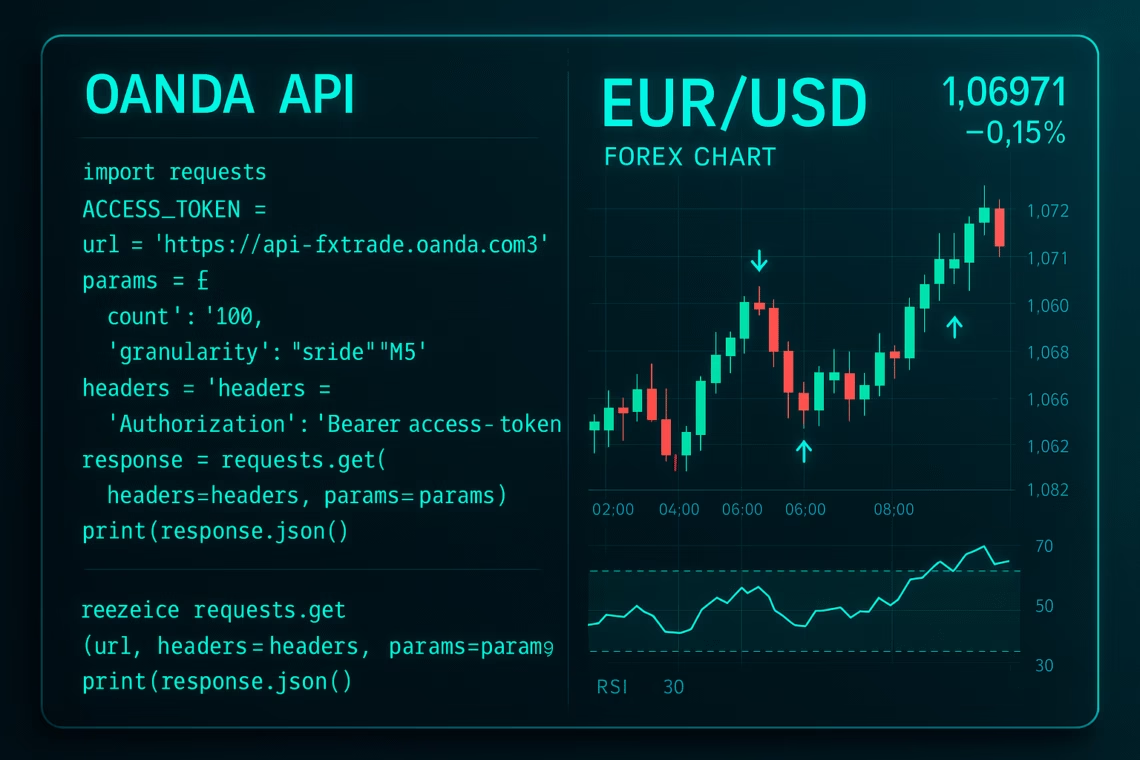
Python lovers, install oandapyV20 via pip. Here’s a basic pricing fetch:
Python
from oandapyV20 import API
from oandapyV20.endpoints import pricing

access_token = "YOUR_TOKEN"
account_id = "YOUR_ACCOUNT_ID"
api = API(access_token=access_token)

params = {"instruments": "EUR_USD"}
r = pricing.PricingInfo(accountID=account_id, params=params)
api.request(r)
print(r.response)
This pulls live EUR/USD prices—scale it for full forex automation.
Step 4: Test and Deploy
Use OANDA’s sandbox for bug-free runs. Monitor via webhooks for production OANDA API bots.
Tutorials like QuantStart’s event-driven engine show how to add portfolios and risk overlays for pro-level automated trading.
Integrating PickMyTrade for Seamless Forex Automation
Want Forex Automation without the code? Enter PickMyTrade, the no-code hero for automated trading. This 2025 standout integrates TradingView alerts with OANDA charts via webhooks, executing trades in milliseconds.
Why PickMyTrade Boosts Currency Trading
- Plug-and-Play Setup: Link TradingView strategies to Broker in 4 steps—alerts auto-execute entries, brackets, and OCO orders.
- Advanced Features: Multi-level TP/SL, auto-trailing, and prop account support. Handles 3M+ trades with sub-100ms fills.
- OANDA-Specific Wins: Direct API routing minimizes slippage for forex automation, ideal for scalping majors like GBP/USD.
Users rave: “PickMyTrade turned my TradingView ideas into live OANDA profits overnight.” Free 5-day trial—no card needed. Pair it with REST API v20 for hybrid power.
Best Practices for Automated Trading with REST API v20
To thrive in currency trading:
- Backtest Religiously: Use historical candles to validate strategies.
- Handle Errors Gracefully: Implement reconnects for streaming—OANDA’s 2025 docs now include robust examples.
- Scale Smart: Start small; monitor via /trades endpoints.
- Stay Compliant: Adhere to leverage limits (e.g., 50:1 US majors).
GitHub repos like jackrabbit for crypto-forex hybrids offer open-source inspo.
Conclusion: Power Your Currency Trading with OANDA API Today
The OANDA API, especially REST API v20, is your ticket to cutting-edge forex automation and automated trading. With 2025’s portal upgrades and tools like PickMyTrade, barriers to entry are lower than ever. Start with a demo, code a simple bot, or no-code your way to profits— the markets wait for no one. Open your OANDA account now and automate smarter.
FAQs: Most Asked Questions on OANDA API
What is the OANDA API, and how does it support automated trading?
The OANDA API is a set of tools for programmatic access to OANDA’s platform, enabling forex automation via real-time data and order execution.
How do I get started with REST API v20?
Create a v20 account, generate a token in AMP, and use endpoints like /pricing for currency trading basics.
Is OANDA API free for automated trading?
Yes, access is free with an OANDA account; only trading incurs fees.
Are there limits on OANDA API trades?
Up to 1,000 open trades/orders per account; FIX API has similar caps.
Disclaimer:
This content is for informational purposes only and does not constitute financial, investment, or trading advice. Trading and investing in financial markets involve risk, and it is possible to lose some or all of your capital. Always perform your own research and consult with a licensed financial advisor before making any trading decisions. The mention of any proprietary trading firms, brokers, does not constitute an endorsement or partnership. Ensure you understand all terms, conditions, and compliance requirements of the firms and platforms you use.
Also Checkout: Automate TradingView Indicators with Tradovate Using PickMyTrade