Introduction: Why Python vs TradingView Backtesting Matters in 2026
In 2026, algorithmic trading has evolved dramatically. Traders demand precise strategy validation before risking capital, especially in volatile US futures markets like E-mini S&P 500 (ES) or Nasdaq (NQ). Two dominant approaches stand out: Python backtesting with flexible libraries and TradingView backtesting via Pine Script. This in-depth comparison explores Python vs TradingView backtesting, covering recent updates, accuracy, speed, ease of use, and real-world application. We’ll also highlight how tools like PickMyTrade bridge the gap for automated futures trading on US markets.
TradingView Backtesting in 2026: Strengths and Recent Updates
TradingView remains a favorite for its intuitive charts and community. Pine Script v6 (updated through 2025-2026) introduced powerful features:
- Footprint requests for volume profile data (January 2026).
- Enhanced time() and time_close() with timeframe_bars_back for precise historical/forward calculations (October 2025).
- Improved plot linestyles (dashed/dotted) and strategy.exit logic.
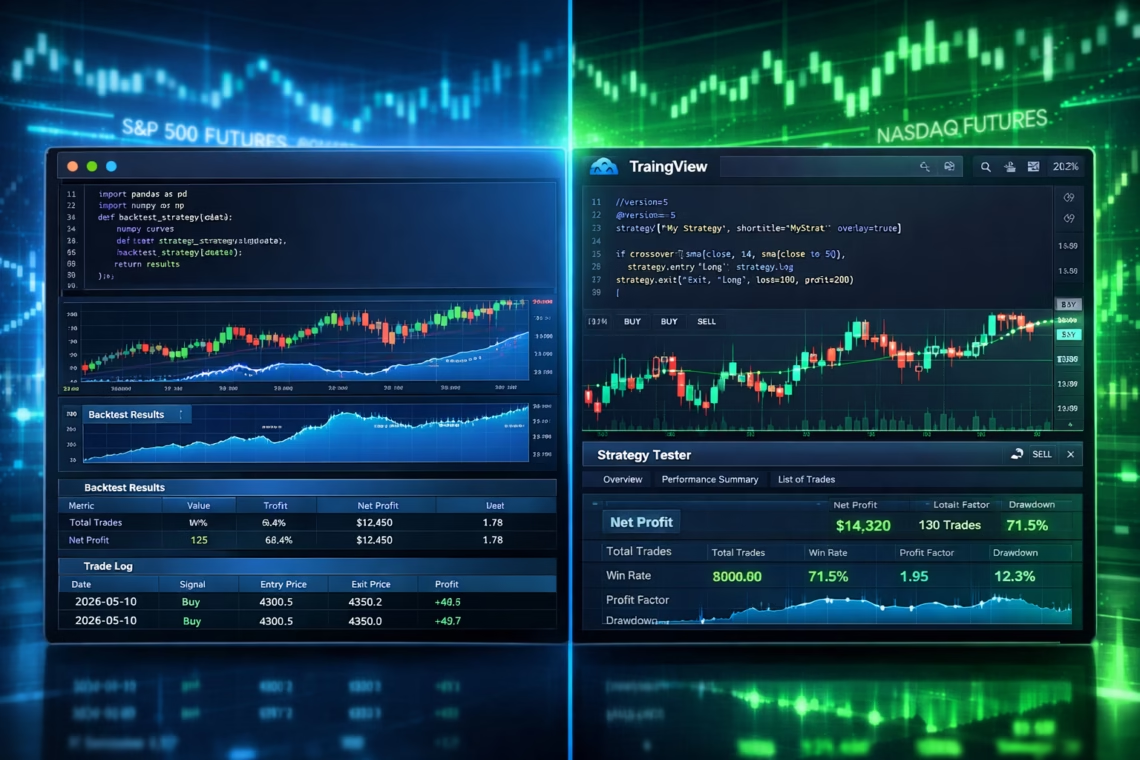
The Strategy Tester delivers quick visual backtests, performance metrics (net profit, drawdown, win rate), and alert integration for automation. It’s ideal for ideation, screening ideas, and sharing scripts.
Pros:
- No coding setup—cloud-based and visual.
- Vast historical data across assets.
- Community scripts speed up prototyping.
Cons:
- Potential repainting issues and less granular control.
- Accuracy often lags live execution (around 85% reliability in benchmarks).
- Limited custom data uploads or complex portfolio testing.
Many traders use it for initial validation before deeper analysis.
Python Backtesting in 2026: Power and Flexibility
Python dominates for serious quants in 2026. Top libraries include:
- VectorBT (and VectorBT PRO): Lightning-fast vectorized backtests with NumPy/Numba acceleration—handles massive datasets and parameter optimization in seconds.
- Backtrader: Mature, event-driven for portfolio-level testing.
- Backtesting.py: Simple, beginner-friendly with interactive charts.
- Zipline-Reloaded and bt: Strong for equities/factors, though VectorBT leads for speed.
Python allows full data control, custom slippage/commissions, walk-forward optimization, and integration with brokers.
Pros:
- Superior accuracy (95%+ matching live results).
- Handles complex strategies, machine learning, and multi-asset portfolios.
- Free/open-source with endless customization.
Cons:
- Steeper learning curve and setup time.
- Requires coding proficiency.
Recent 2026 reviews rank VectorBT highest for scale and performance.
Python vs TradingView Backtesting: Head-to-Head Comparison
| Factor | Python Backtesting | TradingView Backtesting | Winner in 2026 |
|---|---|---|---|
| Accuracy & Realism | High (full control over execution, slippage) | Medium (repaint risks, idealized fills) | Python |
| Speed | Extremely fast (VectorBT: thousands of tests/sec) | Quick for single strategies | Python (large scale) |
| Ease of Use | Requires coding | Beginner-friendly, visual | TradingView |
| Customization | Unlimited (custom data, ML integration) | Limited to Pine Script | Python |
| Cost | Mostly free | Subscription ($15–$600/mo for premium) | Python |
| Community & Resources | Vast Python ecosystem | Massive TradingView community | Tie |
| Automation Integration | Direct broker APIs | Webhooks/alerts | Python (low latency) |
Verdict: Python excels for final validation and live-matching results (3–5× more accurate per 2025-2026 benchmarks). TradingView shines for rapid prototyping and visual exploration.
Click Here to Start Futures Trading Automation
Bridging the Gap: Automate with PickMyTrade for US Futures Trading
Many traders combine both: Prototype on TradingView, validate deeply in Python, then automate live.
PickMyTrade stands out in 2026 for seamless automation. It turns TradingView alerts into real executions on brokers like Tradovate, Rithmic, Interactive Brokers—ideal for US futures (ES, NQ, YM).
Key benefits:
- Ultra-low latency and 24/7 operation.
- Native futures logic for precision.
- Supports strategies from TradingView or Python signals.
- Unlimited alerts/tickers on higher plans.
Traders automate SuperTrend, ORB, or custom Python-tested edges on futures markets effortlessly.
Conclusion: Which Should You Choose in 2026?
For quick ideas and community inspiration: Start with TradingView backtesting. For accurate, production-ready strategies: Embrace Python backtesting. Hybrid approach + PickMyTrade offers the best of both for automated US futures trading.
Test rigorously—backtests are tools, not guarantees. Stay updated with Pine Script v6 and VectorBT advancements.
Most Asked FAQs on Python vs TradingView Backtesting
Is Python backtesting more accurate than TradingView in 2026?
Yes—Python provides granular control over execution details, reducing discrepancies with live trading (often 95%+ match vs TradingView’s 85%).
Can beginners use Python for backtesting?
Yes—start with Backtesting.py or VectorBT tutorials. TradingView is easier initially.
Does TradingView support futures backtesting well?
Yes, excellent for US futures like ES/NQ with Pine Script strategies and visual tester.
How to automate TradingView strategies in 2026?
Use alerts/webhooks with tools like PickMyTrade for brokers (Tradovate, IBKR) focused on futures.
Disclaimer:
This content is for informational purposes only and does not constitute financial, investment, or trading advice. Trading and investing in financial markets involve risk, and it is possible to lose some or all of your capital. Always perform your own research and consult with a licensed financial advisor before making any trading decisions. The mention of any proprietary trading firms, brokers, does not constitute an endorsement or partnership. Ensure you understand all terms, conditions, and compliance requirements of the firms and platforms you use.
Also Checkout: Connect Tradovate with Trading view using PickMyTrade