Introduction: Professional Order Flow Analysis for Retail Traders
Order flow trading has long been the domain of institutional traders with access to expensive platforms and real-time tick data. But what if you could approximate these powerful concepts using publicly available volume data on TradingView?
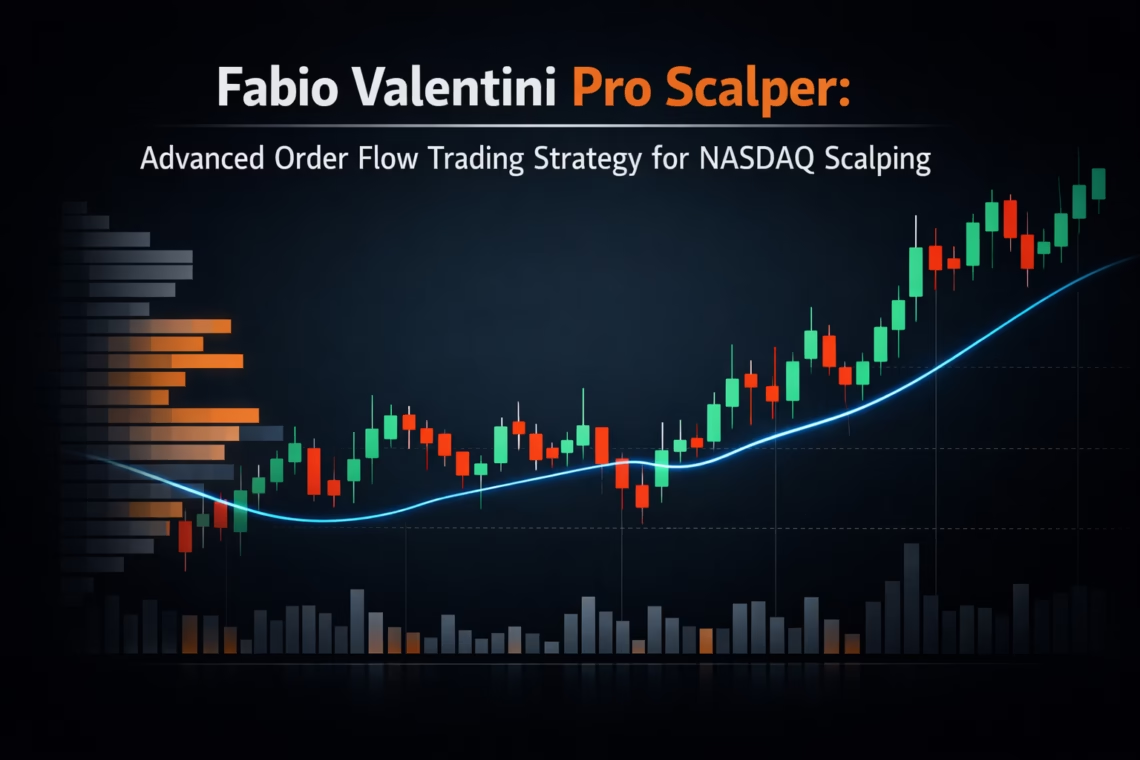
The Fabio Valentini Pro Scalper strategy brings institutional-grade order flow analysis to retail traders, inspired by professional NASDAQ scalper Fabio Valentini’s methodology. This strategy combines volume profile analysis, absorption detection, and the Triple-A setup to identify high-probability scalping opportunities in liquid markets.
In this comprehensive guide, you’ll learn:
- What order flow trading really means
- How institutional concepts are approximated on TradingView
- Why the Triple-A setup works
- How to configure and optimize the strategy
- How to automate execution with PickMyTrade
What Is Order Flow Trading?
Understanding Market Microstructure
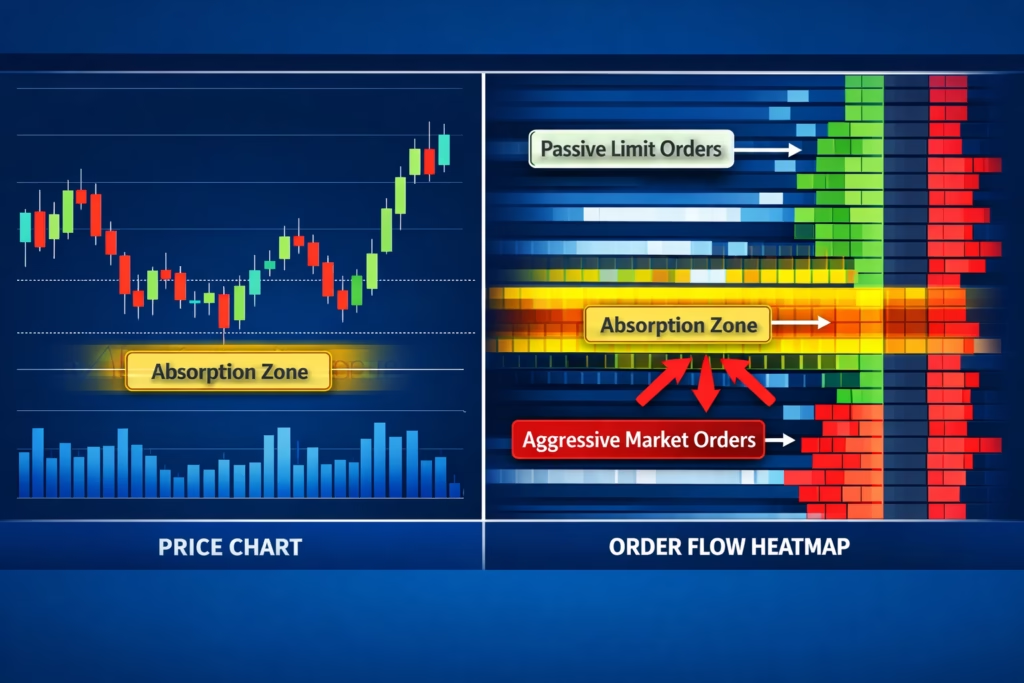
Order flow trading analyzes the actual buying and selling pressure by observing how orders interact at the bid and ask. Unlike traditional technical analysis, order flow focuses on:
- Who controls the market (buyers vs sellers)
- Where institutions accumulate positions
- When aggressive directional moves are likely
Professional traders use tools like Sierra Chart or Investor/RT with exchange feeds to see:
- Passive limit orders
- Aggressive market orders
- Absorption of order flow
- Stacked imbalances
The Retail Limitation
Most retail platforms, including TradingView, don’t provide true tick-by-tick bid/ask data. Instead, traders see OHLC candles and aggregated volume.
The workaround: The Fabio Valentini Pro Scalper approximates order flow using advanced volume analysis:
- Delta approximation for buyer/seller pressure
- Volume profile for institutional zones
- Absorption detection via high-volume, low-range candles
- Triple-A sequencing to track institutional behavior
This captures the essence of order flow using accessible data.
Core Methodology: How the Strategy Works
1. Volume Profile: Identifying Institutional Interest
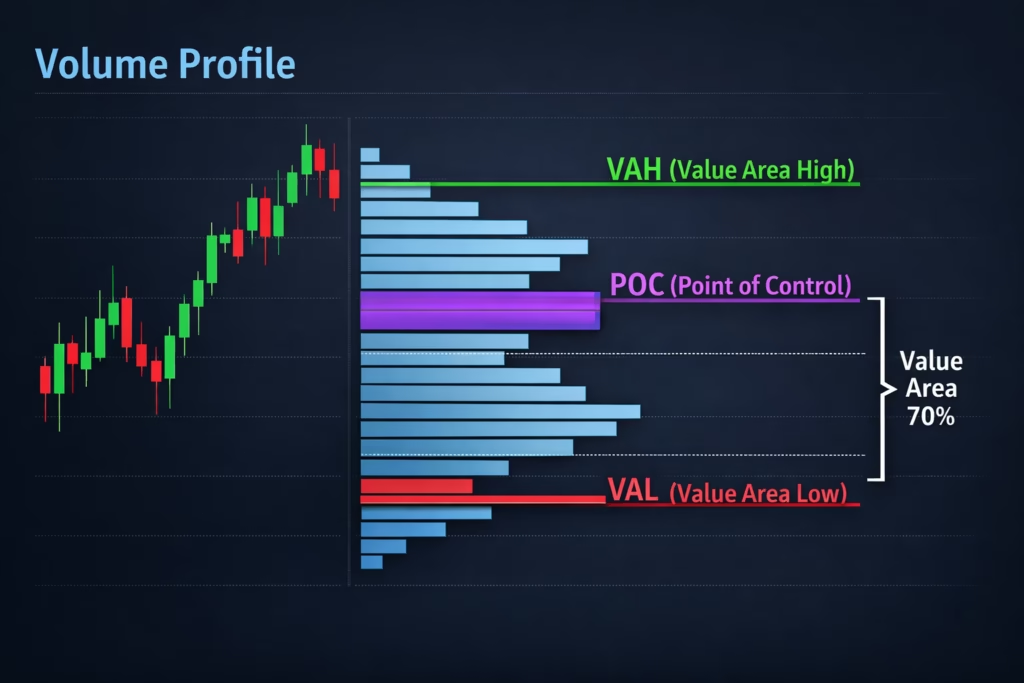
Volume profile reveals where trading activity concentrates at specific price levels.
- POC (Point of Control): Highest traded volume
- VAH / VAL: Range containing ~70% of volume
Institutions accumulate at perceived value. When price revisits these zones, reactions often occur.
Default configuration:
- Lookback: 50 bars
- Resolution: 24 price levels
2. Delta Approximation: Who’s in Control?
Delta estimates the balance between aggressive buyers and sellers.
- Bullish candle + volume near highs → buying pressure
- Bearish candle + volume near lows → selling pressure
- Smoothed over multiple bars to reduce noise
Delta helps confirm trend strength and spot divergence.
3. Absorption Detection: Institutional Footprints
Absorption occurs when large passive orders absorb aggressive market flow.
Characteristics:
- Volume spikes
- Tight candle ranges
- Often at key levels
Detection logic:
Volume > Average Volume × 2.0
AND
Candle Range < ATR × 0.3
This identifies where institutions quietly build positions.
4. The Triple-A Framework: Absorption, Accumulation, and Aggressive Expansion
This pattern reflects the full institutional trade lifecycle:
- Absorption: High volume, little movement
- Accumulation: Tight consolidation
- Aggression: Breakout with volume
Only when all three phases align does the strategy trigger its highest-conviction signals.
Entry Signal Types
1. Triple-A Setups (Highest Quality)
- Absorption detected
- Accumulation confirmed
- Breakout with volume
- Optional VWAP filter
Best for quality-focused scalpers.
2. Opening Range Breakout (ORB)
- Break above/below first session range
- Volume confirmation
- Optional VWAP alignment
Ideal for early-session momentum.
3. Value Area Bounces
- Price reacts at VAH or VAL
- Absorption confirms defense
- Reversal structure
Used for mean-reversion setups.
VWAP Integration
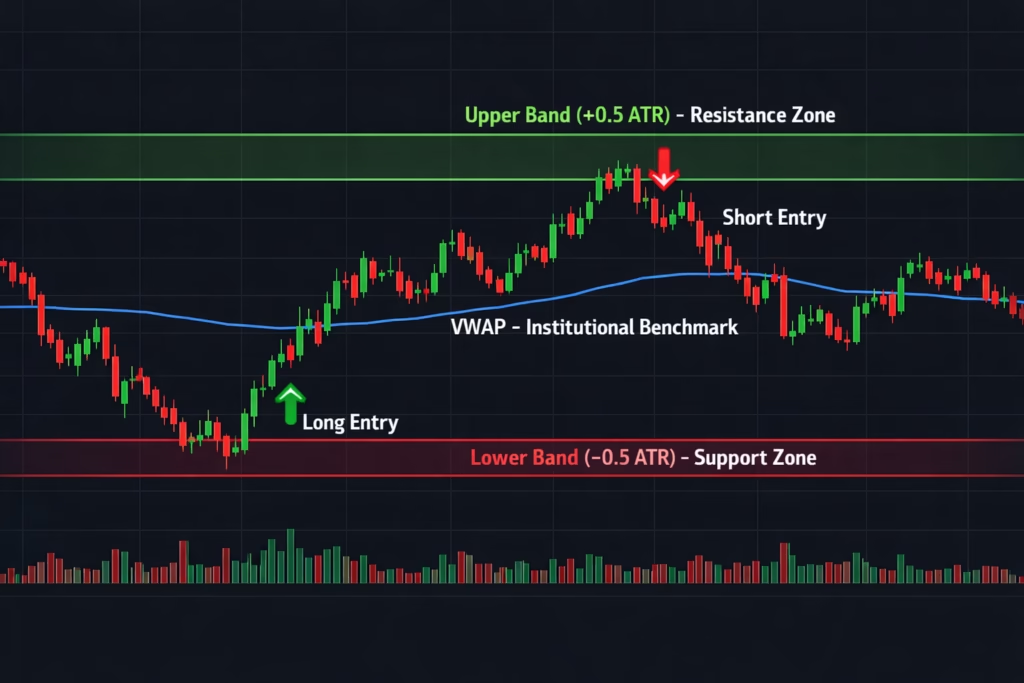
VWAP represents the institutional benchmark price.
Strategy usage:
- Above VWAP → bullish bias
- Below VWAP → bearish bias
- ATR-based VWAP bands identify extensions
VWAP filters improve trade alignment and consistency.
Risk Management Rules
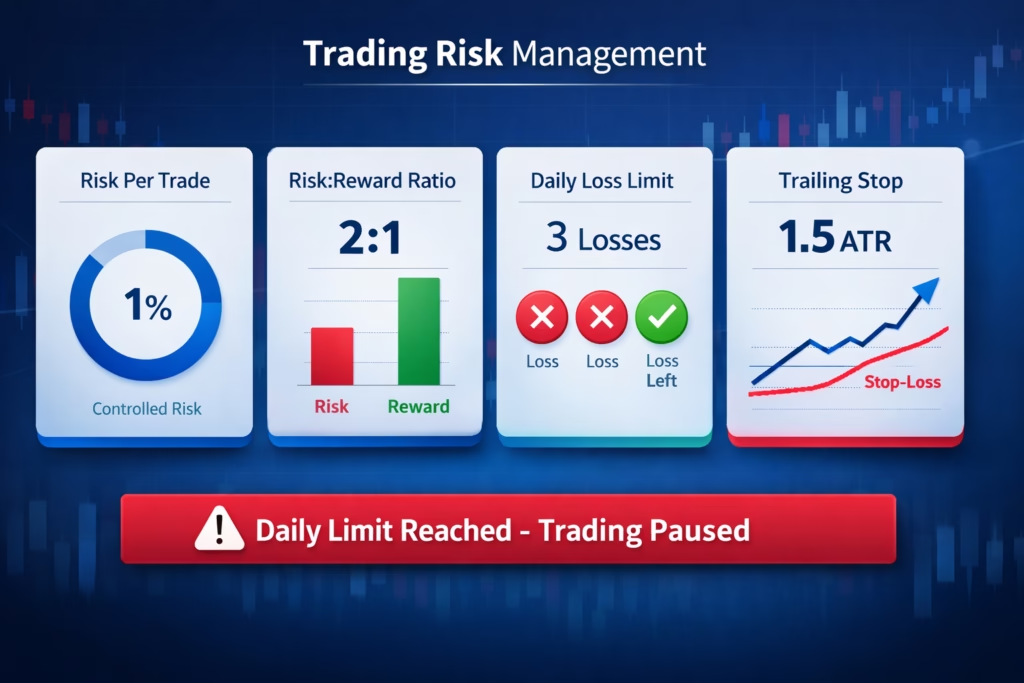
Fixed Risk Per Trade
- Default: 1% of account
- ATR-based stop calculation
- Position sizing adjusts automatically
Risk-Reward Ratio
- Default: 2:1
- Strategy auto-calculates take profit
Three-Loss Daily Stop
After three losing trades, signals stop for the day.
This rule:
- Prevents revenge trading
- Protects capital
- Enforces discipline
Optional Trailing Stops
- Default: 1.5 ATR
- Locks profits during favorable moves
Strategy Optimization
Best Markets
- NASDAQ Futures (NQ, MNQ)
- ES Futures
- BTC / ETH
- Liquid large-cap stocks
Avoid illiquid instruments and wide spreads.
Recommended Timeframes
- 5-minute: Learning and stability
- 2-minute: Balanced scalping
- 1-minute: Advanced execution
Backtesting Guidelines
- Use realistic commissions and slippage
- Test one variable at a time
- Minimum 3–6 months of data
- Validate out-of-sample
- Avoid extreme parameter values
Automation with PickMyTrade
Manual scalping often suffers from latency, emotional decision-making, and execution inconsistency. PickMyTrade eliminates these weaknesses by providing professional-grade trade automation directly from TradingView.
Key advantages include:
- Millisecond execution to capture fast-moving scalping targets
- Emotion-free trading by strictly following predefined strategy logic
- 24/7 automation via cloud infrastructure or VPS integrations
- Broker-level risk management, including automated stop loss and take profit handling
By automating execution, traders can focus on strategy development and performance analysis instead of manual clicking and emotional reactions.
Automation Flow
PickMyTrade follows a streamlined and reliable path from chart signal to broker execution:
- A TradingView strategy or indicator triggers a signal based on market conditions
- TradingView sends a webhook alert instantly to PickMyTrade’s servers
- The signal is validated against your account rules and broker-specific mapping
- The trade is executed on your connected broker account
- Stop loss and take profit levels are managed automatically according to your configuration
Supported Brokers and Platforms
PickMyTrade currently supports execution across major retail, futures, crypto, and prop-firm environments, including:
- Tradovate
- Interactive Brokers (IBKR)
- TradeStation
- Rithmic
- TradeLocker
- ProjectX (TopstepX and other supported prop firms)
- Binance
- Bybit
This allows traders to automate the same strategy across multiple brokers from a single dashboard.
Correct TradingView Webhook Payload
PickMyTrade requires a specific JSON structure to correctly parse and route orders to the broker.
Below is the standard strategy payload used for automation:
 {
    "symbol": "MNQ1!",
    "date": "{{timenow}}",
    "data": "buy",
    "quantity": 1,
    "risk_percentage": 0,
    "price": "{{close}}",
    "tp":  {{plot("Upper")}},
    "percentage_tp": 0,
    "dollar_tp": 10,
    "sl":  {{plot("lower")}},
    "dollar_sl": 5,
    "percentage_sl": 0,
    "update_tp": false,
    "update_sl": false,
    "token": "******3",
    "duplicate_position_allow": true,
    "platform": "PROJECTX",
    "order_type": "MKT",
    "inst_type": "FUT",
    "place_order_at": "away_strike",
    "pyramid": false,
    "reverse_order_close": true,
    "trail": 0,
    "multiple_accounts": [
        {
            "token": "******3",
            "connection_name": "PROJECTX1",
            "account_id": "******88",
            "risk_percentage": 0,
            "quantity_multiplier": 1
        }
    ]
}
Important Notes:
- Use the
slandtpkeys for price-based stop loss and take profit levels - Always include your Unique Token for authentication
reverse_order_close: trueensures position reversal logic is handled correctly when switching direction
Final Thoughts
The Fabio Valentini Pro Scalper strategy demonstrates how institutional trading concepts can be approximated using accessible tools:
- Volume profile to identify value and acceptance zones
- Absorption detection to reveal institutional positioning
- Triple-A sequencing for precision timing
- VWAP alignment for defining daily market bias
- Strict risk rules for long-term account longevity
Automated trading is not a shortcut. Success still depends on realistic cost assumptions, proper optimization, and execution quality.
However, automation with PickMyTrade removes human error and enforces the discipline required to trade consistently.
Ready to Automate?
PickMyTrade connects TradingView strategies directly to real-time broker execution.
Key features:
- ✔ No-code automated execution
- ✔ Advanced risk controls with dynamic SL/TP and multipliers
- ✔ Multi-broker support from a single dashboard
- ✔ Paper trading mode for safe testing
- ✔ Unlimited signals to scale across multiple accounts
Get Started in 3 Steps
- Sign up: https://pickmytrade.io/
- Connect your broker
- Generate your alert JSON and paste it into TradingView
Pricing: Standard plans start from $50/month per connection
Disclaimer
This strategy is for educational purposes only. Past performance does not guarantee future results. Scalping involves substantial risk, and slippage can occur in volatile markets. Always paper trade before deploying real capital. Users are solely responsible for their own trading decisions and configurations.
© 2026 PickMyTrade
You may also like:
Tradovate Prop Firms: The Complete Guide for Using Automation
Top TradingView Automation Mistakes to Avoid in 2026