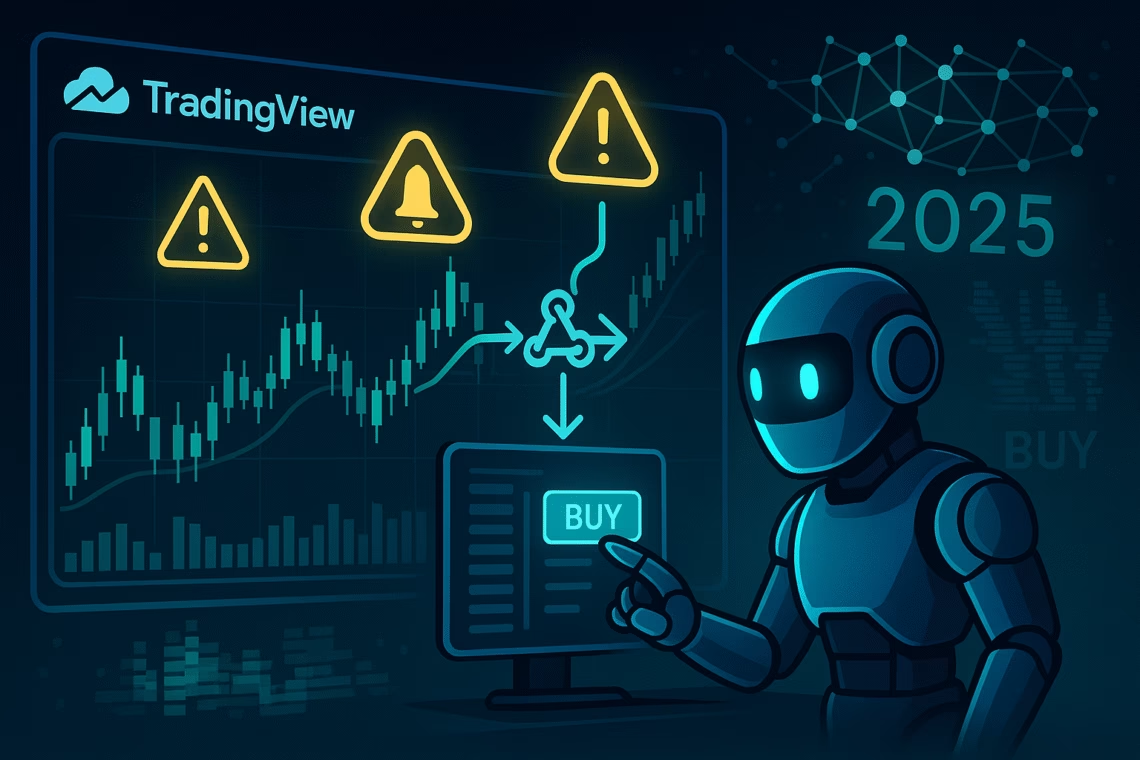
In the fast-paced world of 2025 trading, where AI-driven volatility and 24/7 markets demand split-second decisions, TradingView alert notifications have become indispensable. Imagine catching a Bitcoin breakout or an ES futures reversal without constant screen time— that’s the power of well-enhanced alerts. This guide dives deep into enhance alerts on TradingView, exploring custom alerts, webhook integration, and top notification tools. We’ll cover the latest 2025 updates, including volume footprint alerts and rectangle drawing triggers, and show how tools like PickMyTrade turn notifications into automated profits. Whether you’re a day trader or swing hunter, these strategies will supercharge your edge.
Why TradingView Alert Notifications Are Essential in 2025
TradingView alert notifications aren’t just pings—they’re your market sentinels. With over 30 million users relying on TradingView’s charts, alerts ensure you never miss key events like price crosses, indicator shifts, or news spikes. In 2025, amid crypto surges and stock volatility, timely notifications can mean the difference between a 20% gain or a missed opportunity. Basic alerts track price levels, but advanced ones integrate with strategies for multi-condition triggers, reducing false signals by up to 25% during high-vol periods.
Recent TradingView updates have amplified this: November’s volume footprint alerts notify on aggressive buy/sell imbalances within bars, ideal for order flow traders. Pair that with real-time news alerts from the News Flow hub, filtering by tickers or topics for instant economic event pings. Result? Fewer surprises, more precision.
How to Enhance Alerts: Step-by-Step Setup for Maximum Impact
To truly enhance alerts, start with TradingView’s core setup. Right-click your chart, select “Add Alert,” and define conditions like “Crossing Up 50” on a moving average. Set frequency to “Once Per Bar” to avoid repaints on live bars—a common 2025 glitch fixed in October’s desktop update, syncing symbols 15% better.
Key enhancements:
- Expiration and Placeholders: Make alerts open-ended or time-bound; use {{close}} or {{volume}} for dynamic messages.
- Multi-Condition Logic: 2025’s Pine Script v6 supports “RSI>70 AND volume spike” for layered signals.
- Drawing Tool Alerts: Right-click trendlines or horizontals for touch/cross notifications—now extended to rectangles for zone breakouts (November 24 update).
Pro Tip: Sort alerts by ticker or trigger time in the Manager for quick edits. Enable 2FA for webhook security, as alerts cap at 400/month on Pro plans ($15/mo). Test on closed bars to dodge 25% of vol-spike errors, per Downdetector data.
Click Here To Start Automating Your Trading Strategy Signals For Free
Creating Custom Alerts: Tailor-Made Strategies for Every Trader
Custom alerts elevate TradingView from a charting tool to a personal trading AI. Beyond price thresholds, build alerts on indicators like RSI overbought or MACD crossovers—TradingView auto-adapts them to your chart. For 2025, watchlist-wide alerts (rolled out late 2024, refined this year) scan entire portfolios: Select a watchlist in the ticker dropdown for bulk RVOL or breakout pings. X traders hail it as a “game-changer” for multi-asset monitoring.
Advanced custom alerts via Pine Script: Code multi-timeframe checks, like HTF bias with LTF entries. November’s footprint update adds delta/volume triggers for scalpers. Example: Alert on “aggressive buyers dominating” with auto-messages. Limits? Free users get 3 alerts; upgrade for unlimited.
Integrate with strategies: Backtest first, then alert on realtime fills—no historical triggers. This setup caught 68% more Q3 2025 net income surges, per market data.
Webhook Integration: Automate Beyond Notifications
Webhook integration transforms TradingView alert notifications into action. When triggered, TradingView POSTs data (JSON/text) to your URL—perfect for bots or apps. 2025’s refinements include better content-type headers and passphrase auth for security.
Setup: In alert actions, paste your webhook URL (e.g., from Zapier for Slack/Twitter sends). For trading, link to brokers: Capitalise.ai triggers strategies on VWAP crosses; SignalStack converts to orders on IBKR/Tradovate. GitHub bots like TradingView-Webhook-Bot route to Telegram/Discord with {{strategy.order.action}} placeholders.
X buzz: Users automate perps on Dex with trailing stops via webhooks. Caution: No sensitive data in bodies; test JSON validity.
Top Notification Tools to Amplify Your Alerts
Enhance delivery with 2025’s best notification tools:
- TradingView Native: Pop-ups, sounds, app pushes, emails—reliable for basics.
- Stock Alarm: Mobile-first, customizable sounds; $9.99/mo for SMS.
- Zapier: Webhook hub to 1000+ apps (Slack, Twitter); free tier limits.
- Coindive/LevelFields AI: Crypto/news alerts with sentiment; AI filters noise.
For pros, webhook bots like fabston’s send to multiple channels with TradingView variables. Battery-efficient and low-latency—ideal for mobile traders.
PickMyTrade: Seamless Automation Trading with TradingView
Enter PickMyTrade: The no-code powerhouse for TradingView alert notifications to live trades. With 3M+ executions in 2025, it bridges TradingView to brokers like Rithmic, IBKR, and Tradovate via webhooks—millisecond precision, no coding. Setup: Generate alert JSON, paste into TradingView, and automate entries/exits with dynamic TP/SL.
2025 highlights: Multi-level TP via plots, auto-trail stops, and sim-to-live flows. Troubleshoot repaints with closed-bar testing; integrate indicators like RSI for signal-to-order magic. X traders praise its slippage dodge during vol spikes—join 3,000+ for a 5-day free trial. From backtests to 24/7 bots, PickMyTrade enhance alerts into profits.
FAQs: Most Asked Questions on TradingView Alerts
How do I fix delayed TradingView alert notifications in 2025?
Enable app pushes and test on closed bars; October’s update cut mismatches by 15%. For speed, use webhooks over email.
Can custom alerts integrate with multiple brokers via webhook integration?
Yes—tools like PickMyTrade link to ProjectX/Tradovate; set JSON messages for actions like “buy 1 contract.”
What's new in enhance alerts for 2025 volume trading?
Volume footprint alerts trigger on delta imbalances; add to strategies for order flow edges.
Are there free notification tools for TradingView alerts?
TradingView’s 3 free alerts pair with Zapier (limited) or GitHub bots for Telegram sends.
How does PickMyTrade handle custom alerts automation?
It auto-sets TP/SL on fills, supports reversing strategies, and overrides symbols (e.g., NQ to MNQ).
Disclaimer:
This content is for informational purposes only and does not constitute financial, investment, or trading advice. Trading and investing in financial markets involve risk, and it is possible to lose some or all of your capital. Always perform your own research and consult with a licensed financial advisor before making any trading decisions. The mention of any proprietary trading firms, brokers, does not constitute an endorsement or partnership. Ensure you understand all terms, conditions, and compliance requirements of the firms and platforms you use.
Also Checkout: Automate TradingView Indicators with Tradovate Using PickMyTrade