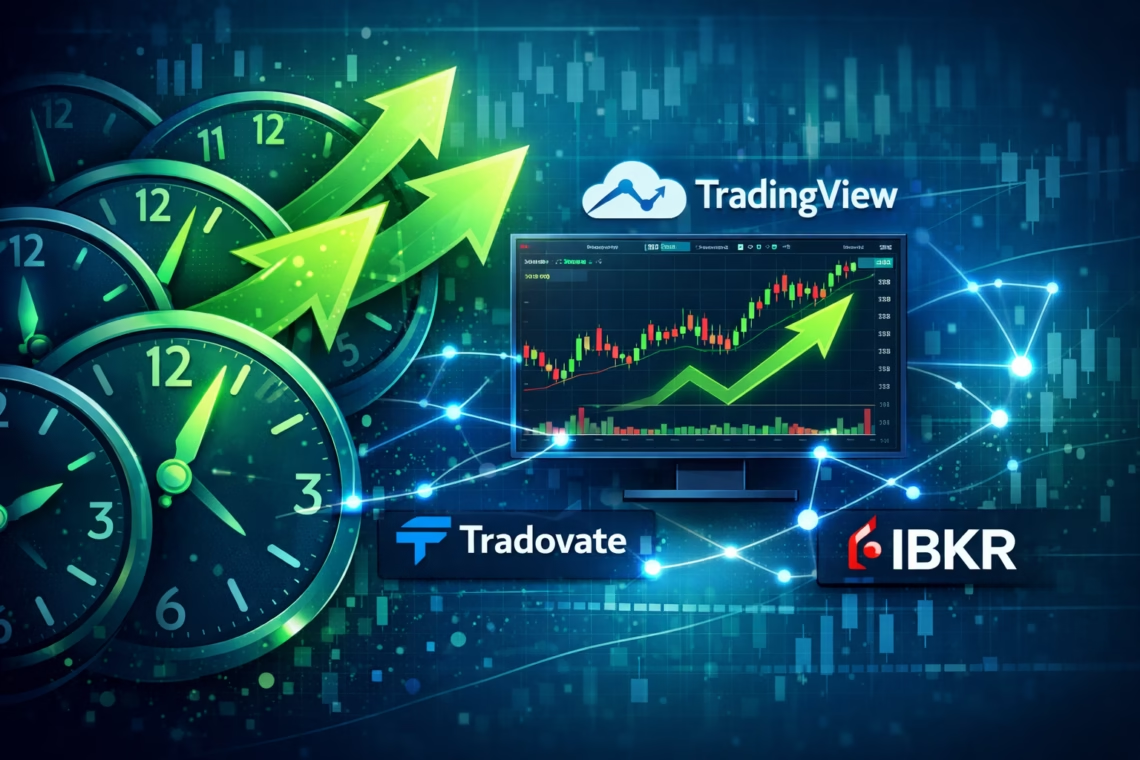
In the fast-paced world of futures trading, timing is everything. Retail traders often juggle morning momentum plays on the Nasdaq-100 (NQ) with afternoon mean-reversion setups on the S&P 500 E-mini (ES). But manually switching strategies? That’s a recipe for missed opportunities and fatigue. Enter expanding the trading window with PickMyTrade—a powerful automation platform that lets you define unlimited trading sessions in one setup. No more multiple subscriptions or clunky workarounds. This guide dives deep into trading window automation, showing you how to connect TradingView alerts to brokers like Tradovate, Rithmic, or Interactive Brokers (IBKR) for seamless execution across sessions.
Whether you’re scalping pre-market volatility or holding overnight positions, PickMyTrade’s 2025 updates make multiple trading sessions a breeze. As of August 2025, the platform now supports unlimited time slots with enhanced order cancellation features, reducing slippage by up to 40% during transitions (source: PickMyTrade Blog, “Futures Scalping Automation Systems: 2025 Guide”). Let’s explore how to supercharge your strategy.
Why Expanding Your Trading Window Matters for Retail Traders
Retail traders face unique challenges: limited hours, prop firm rules, and the need for precision without coding expertise. Traditional platforms force you into rigid schedules, but expanding the trading window unlocks flexibility. Imagine automating a 8:00 AM–10:00 AM breakout strategy while pausing for lunch, then resuming with a 1:00 PM–3:00 PM trend-follower—all from one dashboard.
PickMyTrade bridges TradingView’s signal generation with broker execution via webhooks. Alerts fire only during your defined windows, ensuring trades align with market hours or personal availability. This isn’t just convenience; it’s a edge in volatile markets like 2025’s post-election swings, where NQ saw 2.5% intraday moves (source: CME Group data, December 2025).
How PickMyTrade Enables Multiple Trading Sessions
At its core, trading window automation in PickMyTrade uses time-based filters to control when alerts trigger executions. Unlike basic schedulers, it integrates directly with your broker’s API for sub-50ms fills. Recent enhancements include sortable session lists and bulk editing, rolled out in Q3 2025 to handle complex multi-asset portfolios.
Step-by-Step: Setting Up Multiple Trading Windows
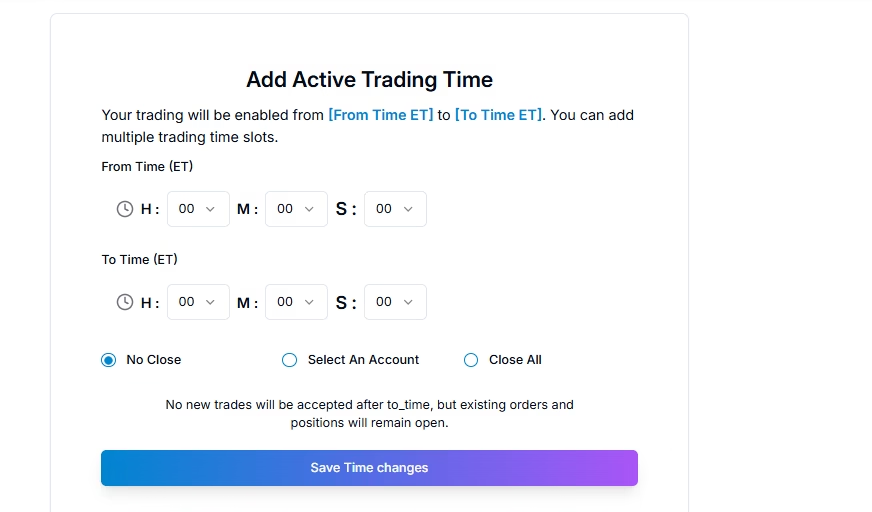
- Log into Your Dashboard: Head to PickMyTrade.trade, click your profile icon, and select “Settings” > “Trading Time Settings.”
- Add Time Slots: Hit “[+] Add Time Slot” for each session. Define start/end times in Eastern Time (e.g., 01:00–02:00 for overnight, 09:30–16:00 for RTH). Choose “Close Positions/Orders” to auto-exit at session end—new in 2025, this now cancels pending limits/stops too.
- Apply Filters: Select accounts (e.g., Tradovate demo vs. live) and enable news pauses for high-impact events like FOMC announcements.
- Save and Test: Bulk-edit via Shift+Click if needed. The system flags overlaps to prevent conflicts.
- Link to TradingView: Generate a webhook URL in PickMyTrade and paste it into your alert setup. Test with a paper trade to confirm session enforcement.
This setup ensures alerts outside windows are paused, not ignored, preserving your strategy’s logic.
Quick TL;DR
PickMyTrade revolutionizes expanding the trading window by letting retail traders automate unlimited sessions via TradingView webhooks to brokers like Tradovate. Set morning/afternoon/overnight filters in minutes, with 2025 updates adding order cancellations for cleaner exits. Say goodbye to manual toggles—focus on profits.
Benefits vs. Limitations of Trading Window Automation
Benefits:
- Flexibility: Run diverse strategies (e.g., scalps vs. swings) without extra tools.
- Risk Control: Auto-pause during news or off-hours cuts emotional trades.
- Efficiency: One subscription handles multi-session automation, saving $50+/month vs. rivals.
Limitations:
- Broker Dependency: Features vary (e.g., IBKR excels in options, Tradovate in futures).
- Learning Curve: Webhook tweaks require initial setup time.
- No Retroactive Fills: Paused alerts won’t execute post-window unless re-triggered.
Real-World Use Cases for Multiple Trading Sessions
- Prop Firm Compliance: Apex traders automate 9:30 AM–4:00 PM day trades while pausing overnight to meet drawdown rules.
- Global Scalping: EU-based retail traders set 3:00 PM–5:00 PM ET for US open, syncing with London close.
- Overnight Holds: Crypto-futures hybrids run 8:00 PM–6:00 AM sessions for low-vol plays.
- News-Averse Swings: Pause 30 minutes around NFP releases, resuming for post-news trends.
- Multi-Asset Portfolios: Separate forex (London session) from equities (NYSE hours) in one dashboard.
Disclaimer:
This content is for informational purposes only and does not constitute financial, investment, or trading advice. Trading and investing in financial markets involve risk, and it is possible to lose some or all of your capital. Always perform your own research and consult with a licensed financial advisor before making any trading decisions. The mention of any proprietary trading firms, brokers, does not constitute an endorsement or partnership. Ensure you understand all terms, conditions, and compliance requirements of the firms and platforms you use.
Also Checkout: Automate TradingView Indicators with Tradovate Using PickMyTrade