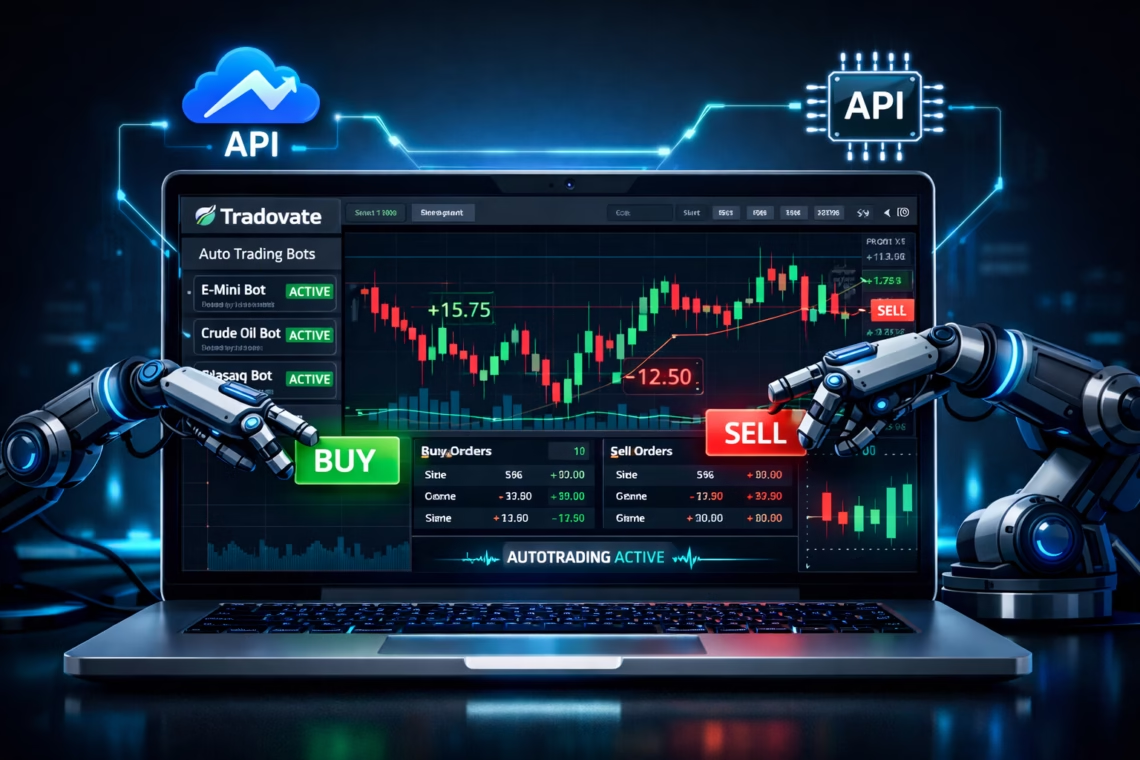
In the fast-evolving world of futures trading, tradovate automation has become a game-changer for traders seeking efficiency, precision, and emotion-free execution. As of January 2026, Tradovate—a cloud-based futures brokerage acquired by NinjaTrader (now under Kraken influence)—continues to support robust automated trading via its API, with no major restrictive changes since 2025 updates. Traders can leverage futures bots to handle high-volume strategies, scalping, or trend-following without constant monitoring.
This comprehensive guide explores the latest on tradovate automation, setup steps for futures bots, recent platform insights, and how tools like PickMyTrade simplify the process for both beginners and pros.
Why Choose Tradovate Automation in 2026?
Tradovate stands out for its web-based accessibility, low margins, and seamless integration with platforms like TradingView. Automated Tradovate strategies are fully permitted on live and demo accounts, as long as orders are flagged appropriately (e.g., isAutomated: true for compliance with CME rules).
Key advantages include:
- Cloud-based platform works on any device—no heavy downloads.
- Direct API access for custom futures bots (REST + WebSocket for real-time data).
- Compatibility with prop firms (Apex, Topstep, etc.) via batch setups.
- Recent enhancements: Faster WebSocket polling (20% improvement in 2025), better error handling, and no extra fees for basic API use.
No HFT bans exist, but risk controls and prop firm rules apply. With markets more volatile in 2026, tradovate automation helps capture edges 24/7.
How Tradovate Futures Bots Work
Futures bots on Tradovate use the API to monitor markets, execute orders, manage positions, and apply risk rules like brackets (stop loss/take profit).
Core components:
- API Keys — Generate in Tradovate settings (requires live account with $1,000+ equity for full access).
- Webhooks/Alerts — From TradingView or other signal providers.
- Execution Logic — Place market/limit orders, OCO brackets, or scale in/out.
Popular approaches in 2026:
- Alert-based bots (TradingView → webhook → broker).
- Custom scripts (Python/Node.js via Tradovate’s example frameworks).
- No-code platforms for quick setup.
Tradovate’s rate limits (5,000 requests/hour, 80/minute) ensure stable performance—design bots to stay under to avoid temporary blocks.
Step-by-Step Setup for Tradovate Automation
- Create/Fund Your Tradovate Account Sign up at Tradovate.com, fund a live account (demo for testing). Enable API access in Settings > API Access.
- Generate API Credentials Create keys (Client ID, Secret, Device ID). Use demo endpoint first: https://demo.tradovateapi.com.
- Choose Your Automation Method
- Custom Coding — Clone Tradovate’s example-api-trading-strategy on GitHub. Use AutoTrade framework for event-driven bots.
- Third-Party Tools — Platforms like TradersPost, Autoview, or QuantVue bridge signals to execution.
- Integrate Signals Set up TradingView alerts with webhooks pointing to your bot/tool.
- Test Thoroughly Run in simulation mode. Monitor for rejections (common in 2025-2026 due to prop limits or expired contracts).
- Go Live Start small, monitor performance, and scale.
Recent 2025-2026 notes: WebSocket upgrades reduce latency; batch features aid prop traders.
Spotlight: PickMyTrade for Seamless Tradovate Automation
For traders avoiding code, PickMyTrade stands out as a top choice for tradovate automation. This no-API-key-needed platform (authorized Tradovate vendor) connects TradingView alerts directly to your broker.
Why PickMyTrade excels in 2026:
- Unlimited strategies, accounts, and trades ($50/month).
- Supports Tradovate (demo/live), multi-prop firms.
- Features: OCO brackets, partial fills, auto trail stops, risk management.
- Setup: Connect Tradovate login → Add webhook in TradingView → Automate 24/7.
- Ideal for futures bots on ES, NQ, or crypto perps.
PickMyTrade reduces tradovate automation errors (down 20% with 2025 updates) and handles scalable execution effortlessly. Join 3000+ traders automating via TradingView without hassle.
Best Practices for Futures Bots Success
- Backtest rigorously in demo.
- Implement risk controls (daily loss limits, position sizing).
- Monitor API rate limits and WebSocket connections.
- Stay updated via Tradovate Forum and release notes—no major API overhauls in early 2026.
- Combine with AI tools (e.g., LuxAlgo) for smarter signals.
Tradovate automation levels the playing field—embrace futures bots for consistent edges.
Most Asked FAQs on Tradovate Automation
Does Tradovate allow trading bots in 2026?
Yes, fully supported via API on live/demo accounts. Flag automated orders and follow risk rules.
How do I set up automated trading on Tradovate?
Generate API keys, use tools like PickMyTrade for no-code, or code custom bots with Tradovate’s examples.
What is PickMyTrade and how does it work with Tradovate?
PickMyTrade automates TradingView strategies on Tradovate without API keys—set alerts, connect accounts, and execute 24/7.
Can I use futures bots with prop firms on Tradovate?
Yes, compatible with Apex, Topstep, etc. PickMyTrade supports multi-account prop management.
Disclaimer:
This content is for informational purposes only and does not constitute financial, investment, or trading advice. Trading and investing in financial markets involve risk, and it is possible to lose some or all of your capital. Always perform your own research and consult with a licensed financial advisor before making any trading decisions. The mention of any proprietary trading firms, brokers, does not constitute an endorsement or partnership. Ensure you understand all terms, conditions, and compliance requirements of the firms and platforms you use.
Also Checkout: Connect Tradovate with Trading view using PickMyTrade