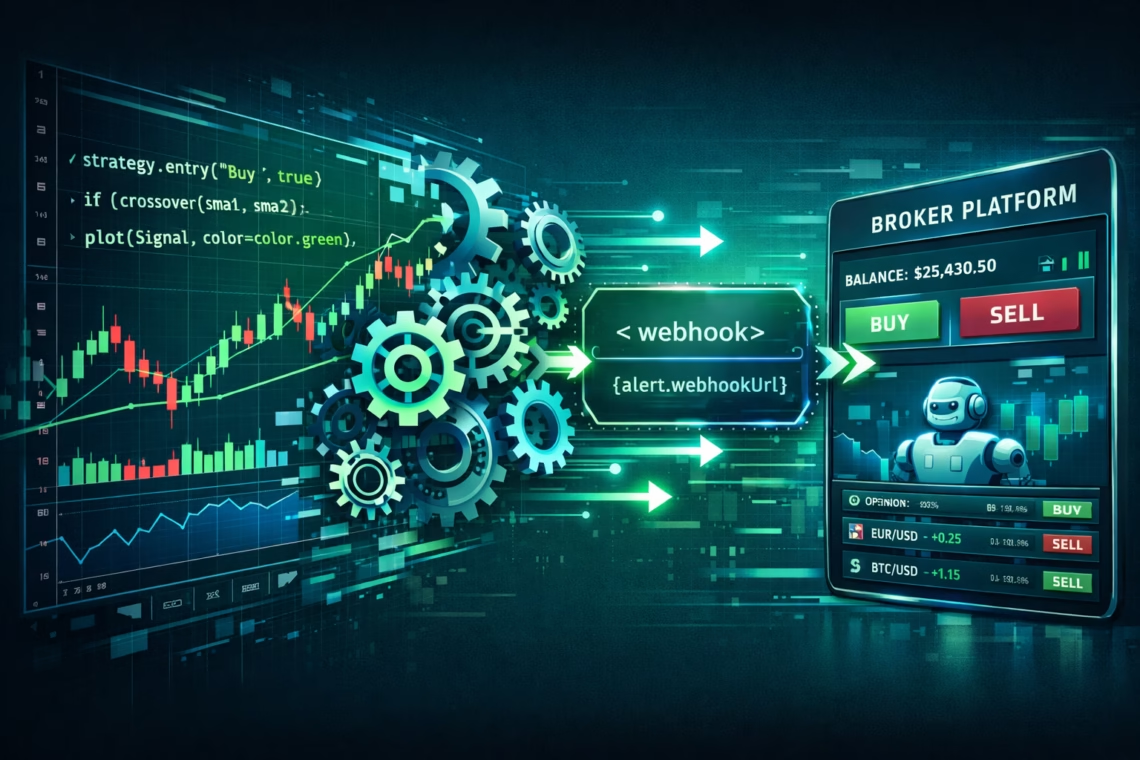
TradingView strategy automation eliminates emotional decisions, enables 24/7 execution, and scales across markets like stocks, forex, futures, and crypto. With volatile markets, automation ensures consistent rule-following while backtesting refines performance.
TradingView doesn’t execute trades directly (except simulated in Strategy Tester), so automation relies on:
- Converting indicators to strategies.
- Using alerts with webhooks.
- Integrating third-party platforms for broker execution.
Step 1: Convert Any TradingView Indicator into a Strategy
Most start with an indicator (e.g., RSI, MACD, SuperTrend). To automate, turn it into a Pine Script strategy for backtesting and alerts.
- Open the indicator’s source code (if open-source) or recreate rules.
- Change indicator() to strategy() declaration.
- Add entry/exit logic: Use strategy.entry() for buys/sells, strategy.exit() for stops/profits.
- Incorporate risk management: Position sizing, pyramiding, etc.
AI tools (e.g., ChatGPT, Grok) accelerate this—paste indicator code and prompt: “Convert this Pine Script indicator to a v6 strategy with long/short entries, SL/TP, and alert messages.”
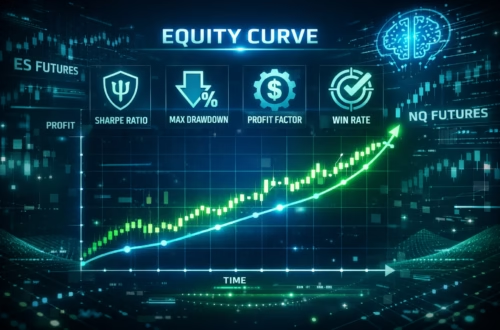
Recent 2025-2026 methods use AI for quick conversions, yielding backtestable strategies with KPIs like win rate and profit factor.
Step 2: Set Up Alerts for Automation
Once a strategy/indicator signals:
- Create alerts on TradingView (premium for unlimited webhooks).
- Use webhook notifications (POST to external URL).
- Format messages as JSON for order details (e.g., {“action”: “buy”, “quantity”: 1, “symbol”: “BTCUSDT”}).
Pine Script v6 improves alert reliability with alert_message in strategy.entry/exit.
Step 3: Bridge to Live Execution with Automation Tools
Connect webhooks to brokers. Popular 2026 options:
- PickMyTrade: Ideal for futures (Tradovate, IBKR, etc.). Beginner-friendly—no complex JSON needed. Connect broker, generate webhook/JSON from dashboard, paste into TradingView alerts. Supports multi-account, limit orders, risk automation. Setup: 3 steps for 24/7 execution. Highly recommended for tradingview strategy automation in futures.
- TradersPost: Flexible webhook/JSON for stocks/options/futures.
- Others: OctoBot (crypto), Tickerly, TV-Hub.
PickMyTrade stands out for simplicity and reliability in 2026, with seamless TradingView-to-broker flow and strong support.
Advanced Tips for Profitable TradingView Strategy Automation
- Backtest rigorously in Strategy Tester (use v6 non-repainting).
- Forward-test on paper trading.
- Add filters: Time, volatility, news avoidance.
- Monitor: Use VPS for uptime if self-hosting.
- Risk: Always include SL/TP; automate position sizing.
Conclusion: Start Your TradingView Strategy Automation Journey Today
Tradingview strategy automation empowers consistent, scalable trading. With Pine Script v6 and tools like PickMyTrade, turn any indicator into a live algo effortlessly.
Ready to automate? Sign up for PickMyTrade, build your first strategy, and experience hands-free trading.
FAQs on TradingView Strategy Automation
What is TradingView strategy automation?
It converts Pine Script indicators/strategies into live trades via alerts and webhooks to brokers or bots.
Can I automate without coding?
Yes—use AI to convert indicators, then no-code platforms like PickMyTrade for webhook setup.
Does TradingView support direct auto-trading?
No, but alerts + webhooks + tools enable full automation.
What are the best tools for TradingView automation in 2026?
PickMyTrade (futures-focused, easy), TradersPost, OctoBot.
Disclaimer:
This content is for informational purposes only and does not constitute financial, investment, or trading advice. Trading and investing in financial markets involve risk, and it is possible to lose some or all of your capital. Always perform your own research and consult with a licensed financial advisor before making any trading decisions. The mention of any proprietary trading firms, brokers, does not constitute an endorsement or partnership. Ensure you understand all terms, conditions, and compliance requirements of the firms and platforms you use.
Also Checkout: Connect Tradovate with Trading view using PickMyTrade








It’s impressive how TradingView’s automation capabilities are becoming more accessible with tools like AI for converting indicators into strategies. Automating the process not only eliminates emotional decisions but also enables more precise risk management, especially with real-time backtesting. It’s great to see how these improvements allow traders to optimize strategies in real-time.