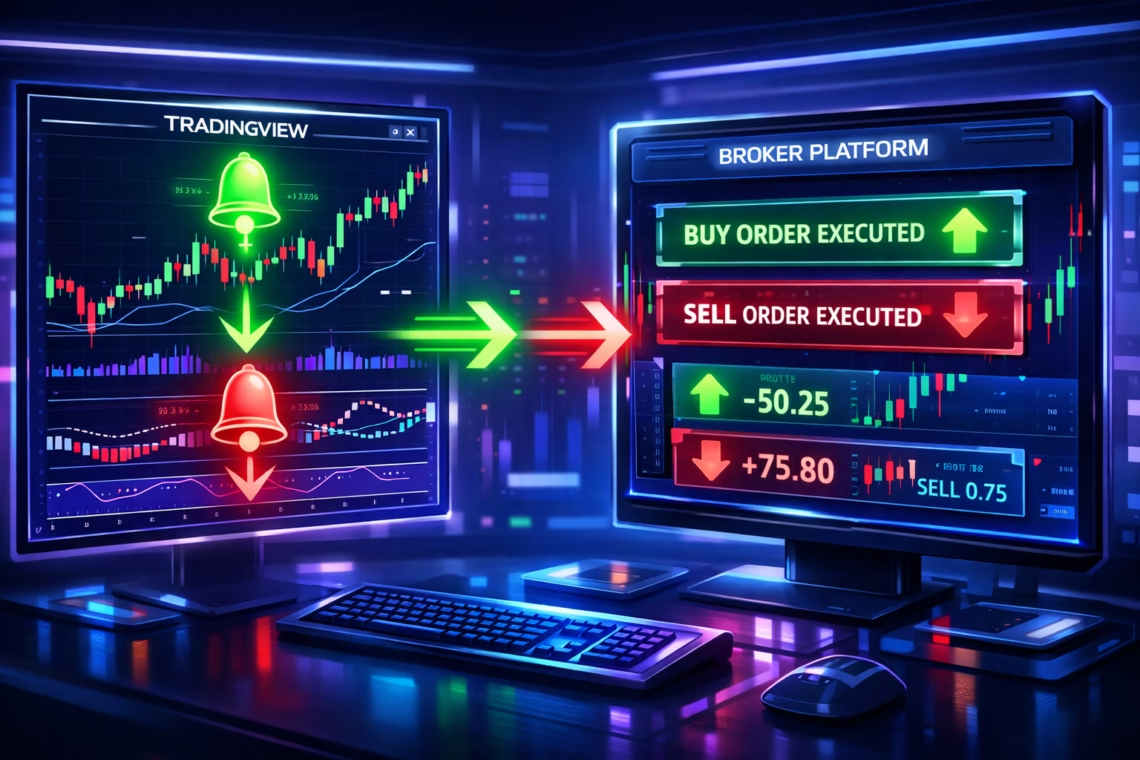
In 2026, TradingView automated trading has become essential for traders seeking 24/7 execution without emotional interference. TradingView excels in advanced charting, Pine Script v6 (with recent updates like dynamic requests, enhanced time functions, and strategy.exit logic improvements from late 2025), and community-driven strategies. However, live auto-execution requires integrating alerts via webhooks to external automation platforms.
This guide covers everything: building strategies, setting alerts, choosing tools, and optimizing for stocks, forex, crypto, and futures.
Why Choose TradingView for Automated Trading in 2026?
TradingView’s strengths include:
- Pine Script v6: More powerful with loop/dynamic requests and forward/backward time calculations.
- Vast community scripts for indicators and strategies.
- Reliable alerts for signals.
- No direct broker execution (as confirmed in 2026), but seamless webhook integration.
Automation eliminates manual trading, enables backtesting, and supports multi-asset classes.
How TradingView Automated Trading Works: Step-by-Step
- Develop Your Strategy in Pine Script Use Pine Script to code indicators or strategies. Recent v6 updates (October 2025 onward) improve strategy testing with better order evaluation and non-repainting options.
- Backtest and Forward Test TradingView’s Strategy Tester provides performance metrics like drawdown and win rate.
- Set Up Alerts Create alerts on strategy conditions (e.g., buy/sell signals). Use webhooks to send JSON payloads.
- Connect to Automation Tools Webhooks route signals to brokers for execution.
- Execute and Monitor Use VPS for reliability and monitor performance.
Best Tools for TradingView Automated Trading in 2026
Several platforms bridge TradingView alerts to live trading:
- PickMyTrade: Ideal for futures traders (Tradovate, Rithmic, IBKR, ProjectX, and many more). Simple no-code setup: connect broker, generate webhook/JSON in dashboard, paste into TradingView alerts. Supports multi-account, risk controls, and 24/7 execution. Highly recommended for beginners and futures automation—join thousands automating seamlessly.
- TradersPost: Automates stocks, crypto, options, futures to brokers like Tradovate, Interactive Brokers. Easy webhook handling.
- PineConnector: For MetaTrader 4/5 users—relays alerts for forex/indices.
- OctoBot, WunderTrading: Great for crypto exchanges.
- TV-Hub, 3Commas: Crypto-focused with advanced bots.
PickMyTrade stands out for its straightforward TradingView-to-broker flow, especially for futures in 2026.
Step-by-Step Setup with PickMyTrade for TradingView Automated Trading
- Sign up at PickMyTrade and connect your broker (e.g., Tradovate).
- In PickMyTrade dashboard, create an alert setup—copy webhook URL and JSON code.
- On TradingView: Add alert → Paste webhook URL in Notifications → Paste JSON in Message (customize for buy/sell, SL/TP).
- Test with paper trading.
- Go live—PickMyTrade handles execution, position sizing, and risk.
Click Here To Start Automated Trading
This takes minutes and supports indicators or strategies.
Advanced Tips for Successful TradingView Automated Trading
- Use v6 features to avoid repainting.
- Implement risk management: SL/TP, position sizing.
- Monitor via VPS for uptime.
- Backtest thoroughly; forward test in real-time.
- Popular strategies: Trend-following, mean reversion, MA crossovers.
Conclusion
TradingView automated trading empowers traders with professional tools and integrations like PickMyTrade for effortless execution. Start building your strategy today—automation is key to consistent results in 2026.
Most Asked FAQs
Does TradingView support direct automated trading?
No, as of 2026, it’s limited to backtesting. Use third-party tools like PickMyTrade for live execution via alerts.
How do I set up TradingView automated trading with PickMyTrade?
Connect broker in PickMyTrade, generate webhook/JSON, create alert in TradingView with those details.
What brokers work with TradingView automation?
Tradovate, Interactive Brokers, MatchTrader, Binance (via tools), and more through platforms like PickMyTrade or TradersPost.
Can I automate crypto trading on TradingView?
Yes, via tools like PickMyTrade, WunderTrading, or OctoBot for exchanges.
Disclaimer:
This content is for informational purposes only and does not constitute financial, investment, or trading advice. Trading and investing in financial markets involve risk, and it is possible to lose some or all of your capital. Always perform your own research and consult with a licensed financial advisor before making any trading decisions. The mention of any proprietary trading firms, brokers, does not constitute an endorsement or partnership. Ensure you understand all terms, conditions, and compliance requirements of the firms and platforms you use.
Also Checkout: Connect Tradovate with Trading view using PickMyTrade








The integration of webhooks for automation is a game-changer. With TradingView’s alerts, it’s amazingthatyoucanlinktoanyexternalplatformforexecution.It’sabigstepforwardforpeoplewhowantseamlessexecutionwithoutmanualintervention.