Introduction: The Future of Strategy Development is Here
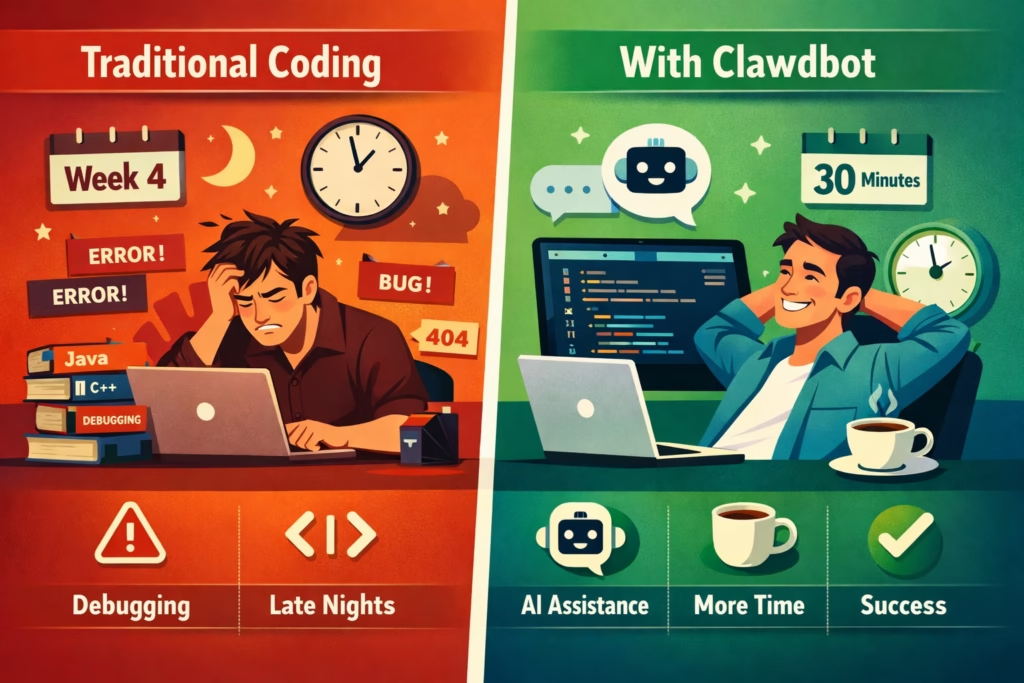
Creating a professional TradingView strategy used to require:
- Deep Pine Script knowledge
- Months of coding experience
- Understanding complex market concepts
- Hours debugging syntax errors
- Trial-and-error optimization
What if you could skip all that and build institutional-grade strategies by simply describing what you want?
That’s exactly what Clawdbot enables.
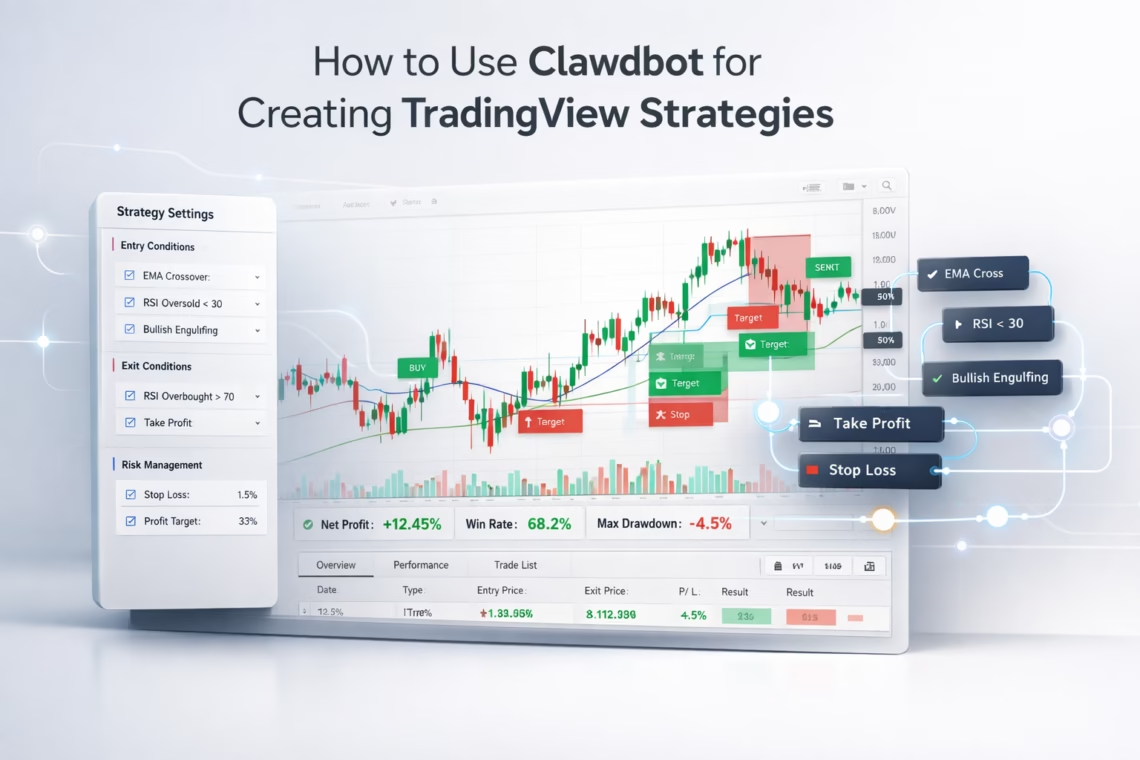
Clawdbot is an AI-powered strategy builder that transforms trading ideas into fully functional Pine Script strategies for TradingView — complete with professional risk management, visual dashboards, and automation-ready webhooks.
In this guide, you’ll learn:
- How Clawdbot works and why it’s different from generic AI tools
- The step-by-step process for building TradingView strategies with AI
- A real-world case study: the Fabio Valentini Pro Scalper
- How to automate execution using PickMyTrade
- Best practices for AI-assisted strategy development
What is Clawdbot?
Beyond Generic AI Tools
Clawdbot is a specialized AI assistant designed specifically for trading strategy development. Unlike general-purpose AI models, it understands both market structure and TradingView’s technical constraints.
Clawdbot is trained to handle:
Trading Concepts
- Order flow and volume absorption
- Market microstructure
- Risk management and position sizing
- Backtesting logic and optimization
Technical Execution
- Pine Script (including the latest versions)
- TradingView strategy and alert logic
- Webhook automation
- Broker-ready JSON formatting
Workflow Integration
- PickMyTrade automation
- Multi-broker execution
- Alert configuration
- Performance diagnostics
Clawdbot doesn’t just write code.
It understands why a strategy works, how it should be structured, and what is required to automate it safely.
How Clawdbot Works: The Strategy Creation Process
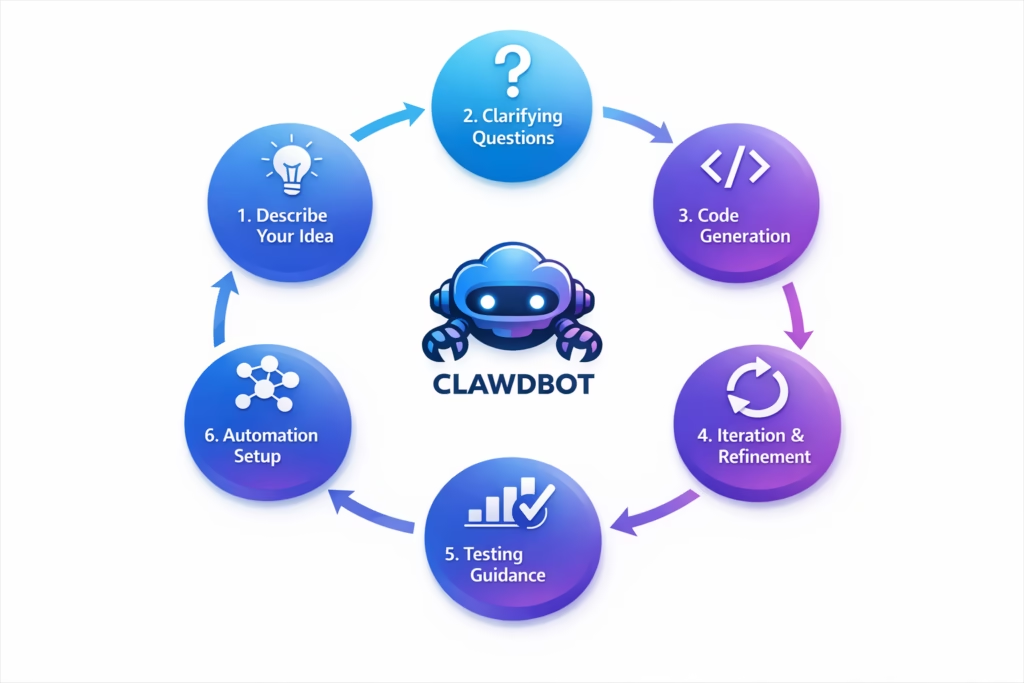
Step 1: Describe Your Trading Idea
You start by describing your idea in plain English.
Examples:
- “I want to trade NASDAQ futures using order flow concepts.”
- “Build a VWAP-based mean reversion strategy.”
- “Create a breakout scalping strategy for crypto.”
- “I want a trend-following system with trailing stops.”
Clawdbot needs:
- Market or instrument
- Timeframe
- Trading concept
- Risk rules
- Session or filter preferences
Step 2: Clarifying Questions
Clawdbot asks targeted questions to remove ambiguity.
Examples:
- How should absorption be defined?
- What volume multiplier should be used?
- What volatility filter applies?
- Trade the absorption itself or the breakout afterward?
This ensures the final strategy matches your intent precisely.
Step 3: Code Generation With Explanation
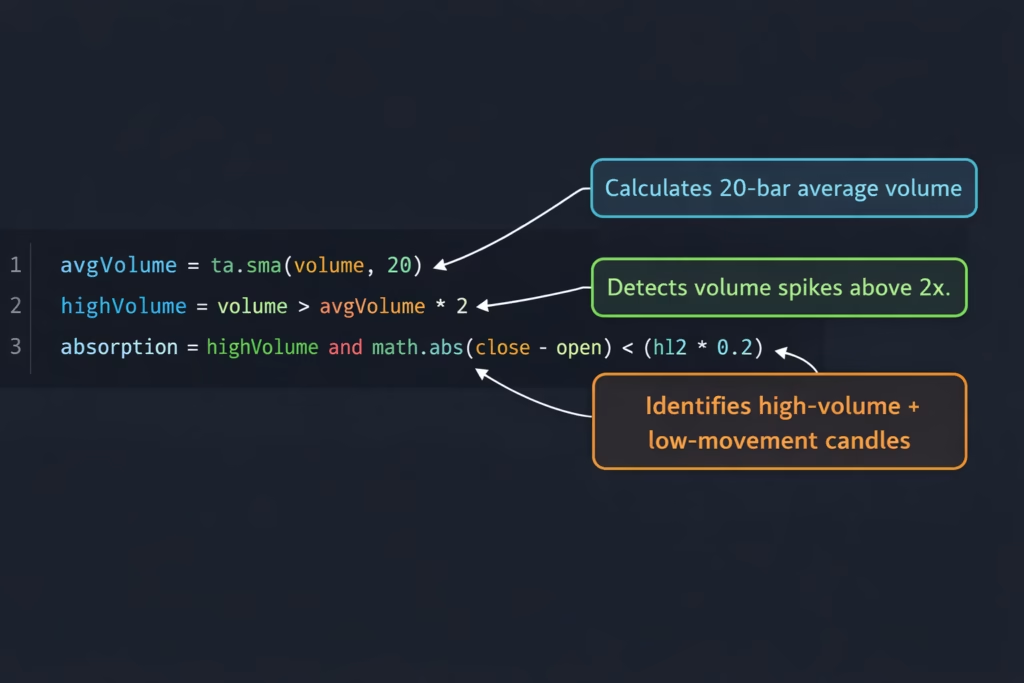
Clawdbot delivers:
- Strategy overview
- Input parameters grouped logically
- Signal logic explanation
- Risk management logic
- Visual plotting logic
- Complete Pine Script code
Example logic explanation:
avgVolume = ta.sma(volume, 20)
priceMove = math.abs(close - open) / atr
highVolume = volume > avgVolume * 2
smallMove = priceMove < 0.3
absorption = highVolume and smallMove
Every line is explained so you understand exactly what the strategy is doing.
Step 4: Iteration and Refinement
You can refine the strategy instantly:
- Adjust thresholds
- Add filters (VWAP, session, trend)
- Add daily loss limits
- Add visual markers
- Toggle signal types
Clawdbot updates the code cleanly without breaking structure.
Step 5: Backtesting Guidance
Clawdbot guides you on:
- Commission settings
- Slippage assumptions
- Timeframe selection
- Instrument selection
- Session filters
It also helps you avoid overfitting, repainting, and look-ahead bias.
Step 6: Automation Setup
Clawdbot generates automation-ready webhook templates for PickMyTrade, including:
- Order direction
- Quantity
- Stop loss and take profit
- Broker configuration
You’re ready to automate without guesswork.
Real-World Case Study: Fabio Valentini Pro Scalper
Initial Request
A NASDAQ scalping strategy based on:
- Volume absorption
- Value area levels
- Triple-A setup (Absorption, Accumulation, Aggression)
- VWAP and Opening Range Breakout
- Professional risk management
Refinement Process
Through iterative conversation, Clawdbot added:
- Adjustable absorption thresholds
- Lookback logic for the Triple-A sequence
- Visual markers for each phase
- Session-aware execution
- Daily loss limits
Final Strategy Output
- 200+ lines of documented Pine Script
- Modular signal toggles
- Volume profile logic
- Delta approximation
- VWAP bands
- ORB logic
- ATR-based stops
- Dynamic position sizing
- Visual dashboard
- Alert conditions
- Automation-ready webhooks
Time to build: approximately 30 minutes.
Key Features Added Automatically
Organized Inputs
Clean parameter grouping for easy optimization.
Dynamic Position Sizing
Risk remains consistent regardless of volatility.
Daily Loss Limits
Prevents revenge trading and emotional decision-making.
Professional Visuals
Provides full market context, not just entry signals.
Multiple Signal Types
Allows intelligent testing and combination of strategies.
Automation-Ready Webhooks
Eliminates formatting errors and integration guesswork.
Integrating With PickMyTrade
Automation Workflow
- Finalize strategy logic
- Generate webhook JSON
- Create TradingView alert
- Paper trade
- Go live gradually
Clawdbot assists throughout the entire automation process.
Best Practices for AI-Assisted Strategy Development
- Start simple and build incrementally
- Add complexity only when justified
- Ask “why” behind every rule
- Test assumptions explicitly
- Demand professional risk management
- Use modular logic
- Validate across multiple timeframes
Common Pitfalls Clawdbot Prevents
- Look-ahead bias
- Repainting indicators
- Overfitting to historical data
- Ignoring commissions and slippage
Final Thoughts
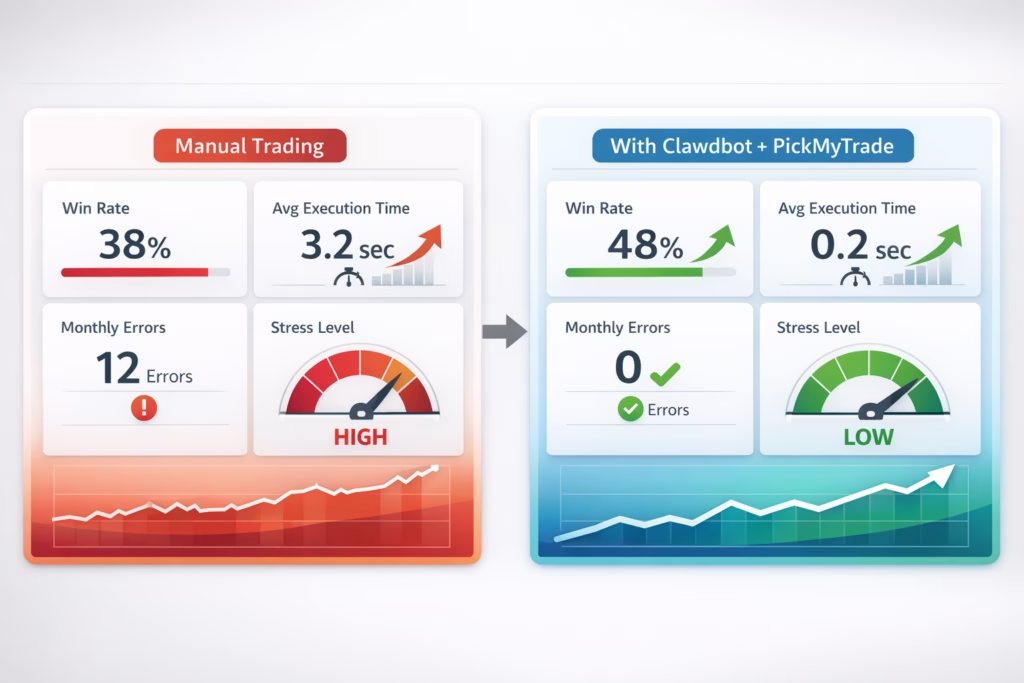
Institutional-grade strategy development is now accessible.
Clawdbot removes the technical barrier from TradingView strategy creation so you can focus on ideas, execution, and risk management not syntax and debugging.
Ready to Build Your Strategy?
- No coding required
- Build strategies in minutes
- Automate across 20+ brokers
- Paper trade safely before going live
Disclaimer: This content is for educational purposes only. Trading involves substantial risk. Always paper trade and test thoroughly before deploying real capital.
© 2026 PickMyTrade. Build. Backtest. Automate.
You May also like:
Best Automated Trading Bots 2025: PickMyTrade vs Competition
Best Trading Bot 2025
Agentic AI Trading: The Future of Intelligent and Autonomous Financial Markets
What is a Clawdbot TradingView strategy?
A Clawdbot TradingView strategy is a fully automated trading strategy created using Clawdbot AI and executed on TradingView. Instead of manually coding in Pine Script, traders describe their trading idea in plain English, and Clawdbot converts it into a complete, backtestable, and automation-ready TradingView strategy.
Do I need to know Pine Script to use Clawdbot?
No. Clawdbot is designed for traders with no coding experience. It writes the Pine Script code for you, explains how it works, and helps you refine it. Basic trading knowledge is helpful, but Pine Script knowledge is not required.
Can Clawdbot strategies be automated for live trading?
Yes. Every Clawdbot TradingView strategy can be connected to PickMyTrade using webhooks. This allows trades generated by TradingView to be executed automatically with supported brokers after proper backtesting and paper trading.
Can I backtest a Clawdbot TradingView strategy?
Yes. Clawdbot generates standard TradingView strategy code, which means you can use TradingView’s built-in Strategy Tester to backtest performance, analyze drawdown, win rate, profit factor, and optimize parameters before going live.
What markets can I trade using Clawdbot?
Clawdbot supports any market available on TradingView, including:
- Futures (ES, NQ, MNQ, MES)
- Stocks and ETFs
- Crypto (spot and perpetuals)
- Forex pairs
You simply specify the instrument when describing your strategy.
Is Clawdbot suitable for beginners?
Yes. Beginners benefit from Clawdbot because it removes the technical barrier to strategy development. At the same time, Clawdbot explains the logic behind each rule, helping new traders learn how professional TradingView strategies are structured.
How accurate are AI-generated TradingView strategies?
Clawdbot does not guarantee profitability. It generates technically correct and logically structured strategies, but performance depends on market conditions, risk management, and proper testing. All strategies should be backtested and paper traded before live deployment.
Can I modify or customize my Clawdbot TradingView strategy?
Absolutely. Clawdbot builds strategies with adjustable inputs, modular signal toggles, and clear structure. You can ask Clawdbot to add filters, change risk rules, modify entry logic, or create multiple versions of the same strategy for testing.