Why a Futures Trading Dashboard Matters in 2026
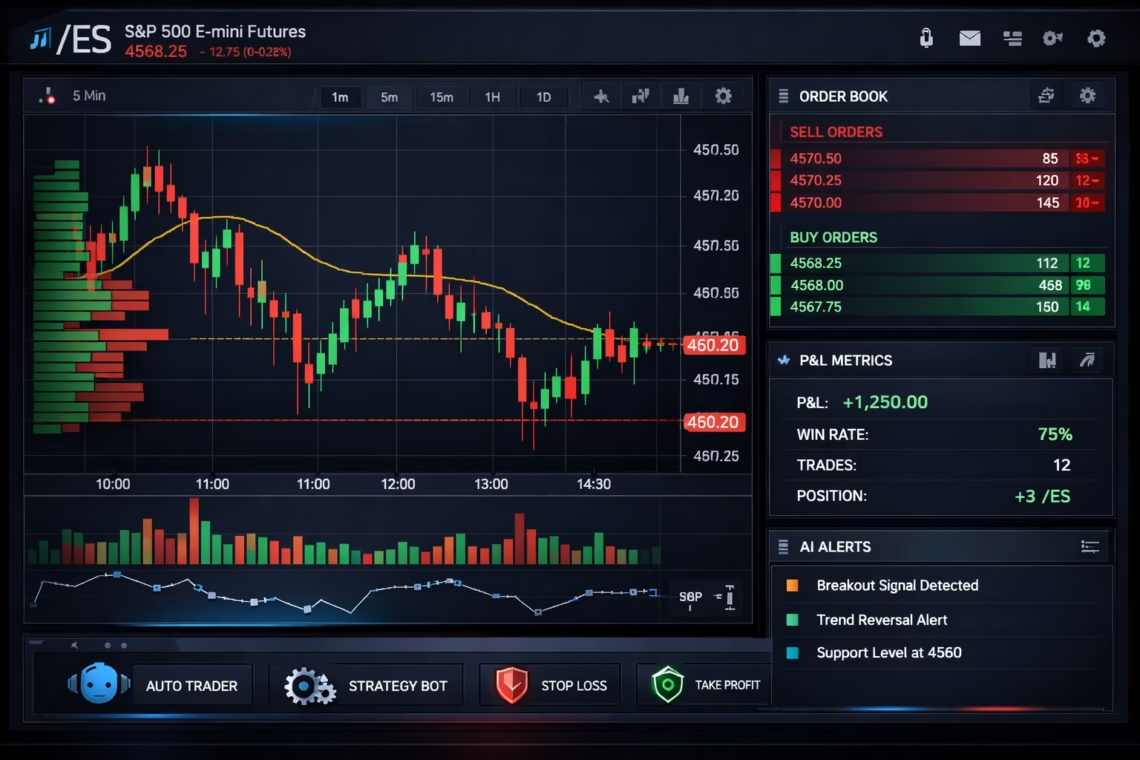
Futures trading demands real-time visibility, quick decision-making, and robust risk controls. A well-built Futures Trading Dashboard centralizes live data feeds, charting, position tracking, and order management into one intuitive interface. Recent advancements emphasize customization, AI analytics, and integration with automated systems to handle high-speed markets.
Top platforms like NinjaTrader, Interactive Brokers, TradeStation, and tastytrade dominate 2026 rankings for their advanced dashboards featuring deep order flow, volume profiles, and customizable workspaces. Cloud-based options from Tradovate and emerging tools focus on commission-free access and mobile optimization.
Key Features of a Modern Futures Trading Dashboard
Building or selecting a Futures Trading Dashboard requires these core components:
- Real-Time Market Data and Charts — Live quotes, depth-of-market (DOM), time & sales, and advanced charting with indicators like VWAP, Volume Profile, and order flow visualization.
- Position and Risk Management — Real-time P&L tracking, margin monitoring, stop-loss automation, and portfolio analytics.
- Order Execution Tools — One-click orders, algorithmic strategies, and low-latency routing for US futures on CME, CBOT, etc.
- Customization and Multi-Asset Support — Drag-and-drop layouts, multiple timeframes, and support for micro/mini contracts (e.g., /ES, /NQ).
- AI and Analytics Integration — Predictive alerts, sentiment analysis, and backtesting for strategy optimization.
- Mobile and Cloud Access — Seamless web/mobile views for 24/7 monitoring.
These features help traders spot opportunities in equity indices, energy, metals, and more while minimizing risks.
Click Here To Automate Futures Trading
Recent Updates in Futures Trading Technology (2026)
The futures landscape in 2026 features faster execution and broader asset integration. Platforms like Trading Technologies expand OTC FX and European power markets with smart order routing and algorithms. AI tools for trade ideas and agentic smart contracts enhance crypto-futures hybrids.
Regulatory shifts include CFTC advancements on prediction markets and new exchanges like Quanta for climate-risk derivatives. Roll costs for S&P 500 futures have risen, pushing traders toward efficient dashboards.
Automation surges with webhook-based systems linking TradingView strategies to brokers, enabling 24/7 execution without constant monitoring.
Integrating PickMyTrade Automation in Your Futures Trading for US Markets
For traders seeking hands-free efficiency, PickMyTrade stands out as a leading automation solution for US futures markets. Built for platforms like Tradovate, Rithmic, Interactive Brokers, and TradeStation, PickMyTrade turns TradingView alerts into automated executions via webhooks.
Key benefits include:
- Precision trade replication with millisecond latency.
- Support for unlimited automated strategies on futures like /ES, /NQ, and micros.
- Multi-account management and risk controls (e.g., trailing stops, position sizing).
- No coding required — ideal for automating scalping, trend-following, or volume-based setups.
Incorporate PickMyTrade into your Futures Trading Dashboard for seamless 24/7 operation, especially in fast-moving US index and commodity futures. Traders report consistent performance by combining it with advanced charting tools.
How to Build or Optimize Your Own Trading Dashboard
Start with a strong broker platform (e.g., NinjaTrader for pros or Tradovate for cloud simplicity). Add automation via PickMyTrade, integrate real-time data feeds, and customize widgets for your style — scalping needs DOM focus, while swing trading prioritizes multi-timeframe charts.
Test in sim mode, backtest strategies, and scale with risk rules. In 2026, hybrid setups blending manual oversight with automation yield the best edge.
A powerful Futures Trading Dashboard empowers smarter, faster trading in dynamic markets.
Most Asked FAQs
What is a Futures Trading Dashboard?
A Futures Trading Dashboard is a centralized interface displaying real-time data, charts, positions, and orders for futures contracts.
Which is the best platform for a Futures Trading Dashboard in 2026?
NinjaTrader and Interactive Brokers lead for advanced features, while Tradovate excels in cloud-based simplicity.
Can I automate trades on a Futures Trading Dashboard?
Yes — tools like PickMyTrade enable automation from TradingView signals to US futures brokers with low latency.
What are essential features for beginners in a Futures Trading Dashboard?
User-friendly charts, risk tools, educational resources, and sim trading — available on E*TRADE or tastytrade.
Disclaimer:
This content is for informational purposes only and does not constitute financial, investment, or trading advice. Trading and investing in financial markets involve risk, and it is possible to lose some or all of your capital. Always perform your own research and consult with a licensed financial advisor before making any trading decisions. The mention of any proprietary trading firms, brokers, does not constitute an endorsement or partnership. Ensure you understand all terms, conditions, and compliance requirements of the firms and platforms you use.
Also Checkout: Connect Tradovate with Trading view using PickMyTrade